
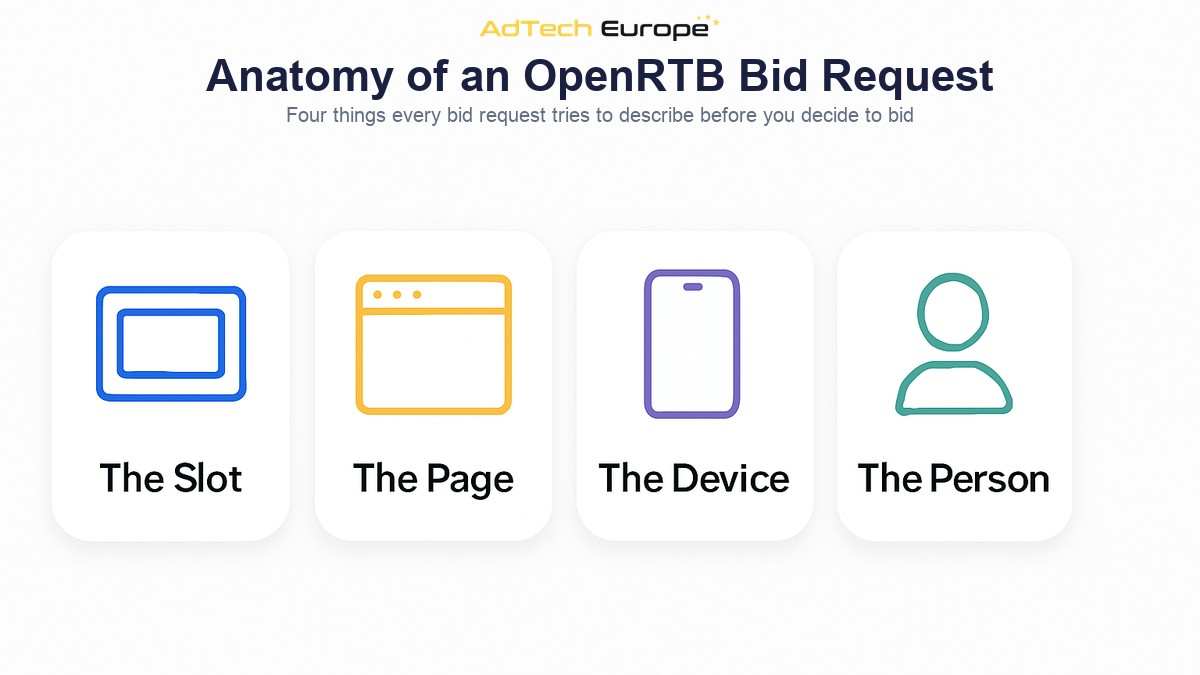
Every programmatic impression you have ever bought started as a small block of data sent to your platform and answered in a fraction of a second. That block is the bid request. It describes the ad slot, the page or app it sits on, the device holding it, whatever is known about the person in front of it, and the legal conditions attached to buying it.
Most media buyers never look at one. They work with campaign settings — geo, device, format, bid — and trust that the platform matches those settings to the right opportunities. That works until performance drops for no visible reason, or a targeting rule silently excludes most of the supply you were promised, and the campaign report offers no explanation.
This guide explains what a bid request actually contains, how the OpenRTB objects map to the settings you already use, what your platform must send back to win, and why the fields present in a request decide how much of the market your campaigns can reach.
What Is a Bid Request in Programmatic Advertising?
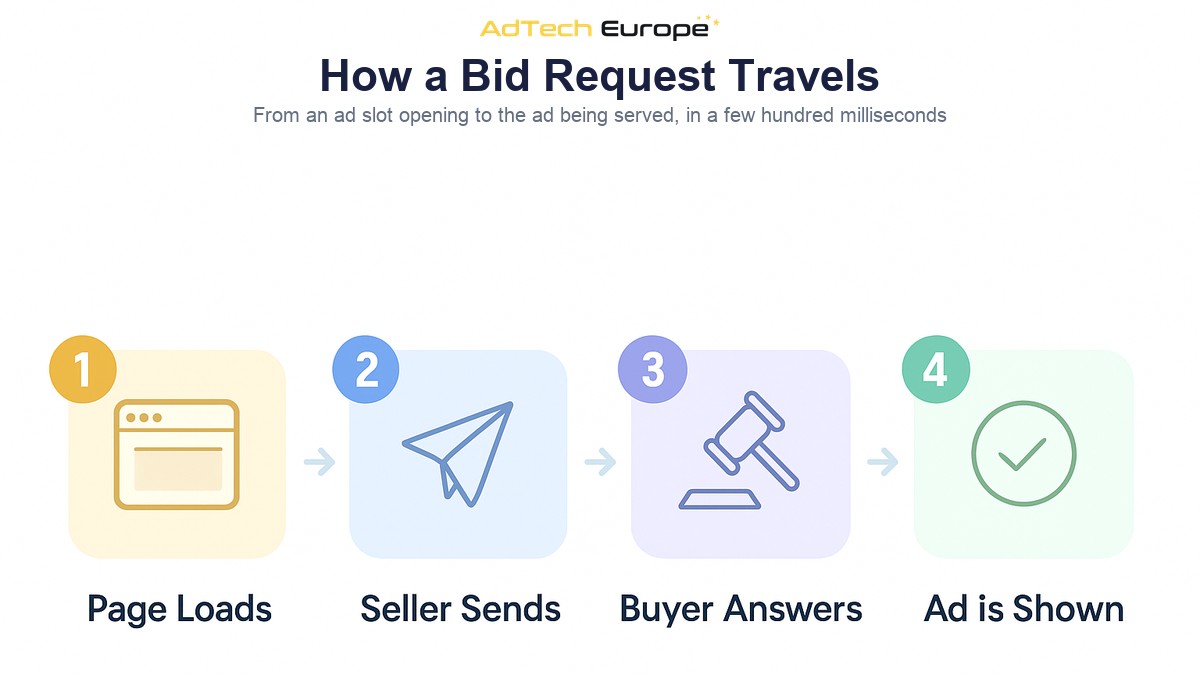
A bid request is a structured message sent from a supply-side platform or exchange to a demand-side platform, offering one advertising opportunity and asking for a price. It is sent when a page loads or an app opens an ad slot, and it expects an answer within a deadline measured in milliseconds.
The industry standard format for that message is OpenRTB, a specification maintained by the IAB Tech Lab. It defines a JSON structure with named objects, so that a request written by one exchange can be read by any compliant buyer without a custom integration for every partner. Without that shared vocabulary, connecting to a thousand supply sources would mean writing a thousand parsers.
The important thing to understand is that a bid request is an offer, not a delivery. Receiving one costs nothing. Answering one commits you to a price. Everything your platform decides — whether to bid, how much, with which creative — is decided from the contents of that single message, plus whatever your platform already knows about the campaign and the user.
Where a Bid Request Comes From
The chain starts with a publisher. A user opens a page or an app, an ad slot becomes available, and the publisher’s ad server or header bidding wrapper asks a supply-side platform to monetise it. The SSP builds an OpenRTB bid request describing the opportunity and sends it out to the demand partners it is connected to.
Your DSP receives that request as one of many arriving every second. It parses the request, matches it against every eligible campaign, applies filters, calculates a bid, and returns a bid response — or returns nothing at all, which is a valid and very common answer. The SSP collects the responses, runs the auction, and tells the winner it won.
The deadline is set by the seller. Most requests carry a tmax value: the maximum time in milliseconds the exchange will wait for your answer. Typical values sit in the low hundreds. A response that arrives after tmax is discarded even if it was the highest bid, which makes latency a commercial issue and not just an engineering one. This is also where request volume becomes a limit: if your platform’s queries-per-second capacity is capped, requests are refused at the door before any bidding logic runs, which is why unlimited QPS matters for platform owners.
The full auction mechanics — how the winning price is determined, how the notice and the creative are delivered — are covered in more depth in our walkthrough of how real-time bidding works step by step. This article stays on the request itself.
The Anatomy of an OpenRTB Bid Request
An OpenRTB bid request is a JSON object with a top-level identifier and a set of nested objects, each describing one dimension of the opportunity. Not every object appears in every request. What is present, and how completely it is filled in, varies enormously between supply sources.
| Object | What it describes | What it controls for a buyer |
| id | Unique identifier for this auction | Must be echoed back in the response |
| imp | The impression: format, size, floor price | Creative eligibility and minimum bid |
| site / app | The web page or mobile app, and its publisher | Domain and app targeting, blocklists |
| device | Hardware, OS, browser, connection, IP | Device, OS and carrier targeting |
| device.geo | Country, region, city, coordinates | All geographic targeting |
| user | Identifiers and audience data | Retargeting, audiences, frequency caps |
| source | Who is selling and through which chain | Supply path and reseller transparency |
| regs | Privacy and regulatory flags | Whether personal data may be used |
| bcat / badv | Categories and advertisers the seller blocks | Whether your creative is allowed at all |
Two of these deserve particular attention, because they are the ones most often misread by buyers.
The first is the choice between site and app. A request carries one or the other, never both, and that single choice changes which identifiers are available, which creative formats are viable, and which verification file applies. Buying app inventory well is a different discipline from buying web, which is why we treat it separately in our guide to in-app programmatic advertising.
The second is bcat and badv. These are the seller’s own exclusions — blocked content categories and blocked advertiser domains — and they are enforced on the seller’s side. If your creative’s declared category or advertiser domain appears in those lists, your bid is thrown away after you made it. You pay nothing, but you also learn nothing from the campaign report, because a rejected bid usually looks identical to a lost auction.
The Impression Object: What You Are Actually Buying
The imp object is the commercial core of the request. A request can contain several impression objects if a page is offering more than one slot at once, and each is bid on independently. Inside it, one of four sub-objects declares the format: banner, video, audio or native. Your platform can only respond if it holds a creative that matches the declared format and the accepted dimensions.
Alongside the format, the impression object carries the fields that decide the economics:
- bidfloor and bidfloorcur — the minimum acceptable bid and the currency it is expressed in. Bid below the floor and the bid is simply discarded.
- tagid — the seller’s identifier for the specific placement, which is what makes placement-level reporting and blocking possible.
- secure — whether the impression requires an HTTPS creative. Serving an insecure asset into a secure page means the ad is blocked by the browser after you have already paid.
- instl — whether the slot is a full-screen interstitial rather than an in-page unit.
- pmp — any private marketplace deals attached to this impression, each with its own deal identifier and floor.
The pmp field is worth a second look. When a deal identifier appears in a request and matches a deal your campaign holds, that impression is usually competing in a narrower auction with better terms than the open market. A platform that ignores the pmp object bids on deal inventory at open-market prices and never captures the advantage it paid for.
Identity, Privacy and the Fields That Go Missing
The user object is where audience buying lives. It may carry the exchange’s own user identifier, a buyer-side identifier synced with your platform, and audience segments supplied by data partners. On mobile app inventory, the durable identifier is usually the advertising ID in the device object rather than anything in the user object.
These fields are increasingly often absent. Browsers restrict third-party cookies, mobile platforms require an explicit opt-in before an advertising ID is shared, and users who decline produce requests with the identifier zeroed out or removed entirely. The request still arrives. It simply cannot be personalised.
The regs object states the legal conditions. It flags whether the request falls under GDPR, whether it is subject to child-directed rules, and which privacy signal applies, while the consent string itself is carried as an extension on the user object. A request that arrives without valid consent may still be bought — but only contextually, using the page, the format and the device, with no personal data involved.
This has a direct campaign consequence. A tightly targeted audience campaign is only eligible for the subset of requests that still carry usable identity. If a campaign is underdelivering with plenty of budget left, the cause is often not the bid but the filter: most of the available supply never had the field the targeting rule requires. Frequency control runs into the same wall: a cap that depends on recognising the same person twice cannot be enforced on requests where the person is anonymous.
Reading the Supply Path Inside the Request
The source object answers a question every buyer should ask: who is actually selling this impression? It carries a transaction identifier that ties the request to a single auction across the whole chain, and it carries the supply chain object — an ordered list of every entity that handled the impression between the publisher and you.
A supply chain with one node means you are buying directly from the publisher’s own seller account. Three or four nodes means the impression has been resold, with each intermediary taking a share of what you pay. The chain is also the mechanism that lets you verify the seller is authorised to sell that inventory at all, cross-referenced against the publisher’s own declarations — the subject of our guide to ads.txt, app-ads.txt and sellers.json.
Reading this field consistently is the practical basis of supply path work. Two requests can describe the same user on the same page at the same moment, arriving through different resellers at different floors. Choosing the shorter, cheaper path is only possible if your platform records the chain on every request rather than discarding it.
What Your Platform Sends Back
A bid response is much smaller than the request. It echoes the request identifier, then contains one or more seat bids, each holding the actual bids. Every bid must name the impression it answers, a price, and the creative to serve.
| Response field | Purpose |
| impid | Which impression in the request this bid answers |
| price | The bid, expressed as a CPM |
| adm or nurl | The creative markup, or a URL to fetch it on win |
| adomain | The advertiser’s domain, checked against badv |
| crid | Creative identifier, used for seller-side review |
| cat | Creative categories, checked against bcat |
| w and h | Creative dimensions for the slot |
Deciding not to bid is also an answer, and OpenRTB provides a no-bid reason code for it. Those codes are the most under-used diagnostic in programmatic buying. When a supply partner reports back why your platform declined — unmatched user, blocked publisher, below floor, unsupported format — you have a precise map of where your campaign is losing eligibility, rather than a guess.
How to Use Bid Request Data as a Buyer
You do not need to read raw JSON to benefit from understanding the request. You need your platform to report on the fields, so that campaign decisions are made against what supply actually looks like rather than what you assume it looks like.
- Check field availability before you build targeting. Ask what share of incoming requests carries a usable identifier, a city-level location, or a declared app bundle. Target on fields that are present.
- Compare floors by placement, not by partner. The tagid tells you which specific slots are expensive. Averaging a floor across a whole exchange hides the placements distorting the number.
- Watch the no-bid reasons. A campaign declining most requests for one reason is a configuration problem, not a market problem, and it is usually fixable in minutes.
- Track the supply chain length. If the same domain reaches you through several paths, keep the short one and test switching the rest off.
- Match creative to declared formats. Secure-only slots, interstitials and native placements each require assets you must have ready before the request arrives, not after.
Why Bid Request Access Depends on Who Owns the Platform
Everything described above happens inside the demand-side platform. Whether you can see it depends on the platform’s reporting, and that is the difference between renting access to a DSP and owning one. The distinction between the buying and selling sides of this exchange is covered in our explainer on DSP vs SSP.
On a rented seat, you see the fields the vendor chose to expose. Field-level fill rates, no-bid reason breakdowns and supply chain records are frequently aggregated away, so a diagnosis that would take one query becomes a support ticket. You also inherit the vendor’s connection list: if a supply partner is not integrated, its requests never reach you, and adding one is a request you can only make.
On an owned platform, the request stream is yours. You decide which fields to log, which reports to build, which partners to integrate, and how much request volume to accept. Adding a supply source is a technical task you control rather than a commercial negotiation — the practical steps are set out in our SSP integration checklist.
Ready to Own the Platform That Reads Your Bid Requests?

AdTech Europe supplies enterprise demand-side platform technology to agencies, ad networks, media buying teams and adtech entrepreneurs who would rather own their buying stack than rent one. Every plan includes unlimited QPS scaling, 1,000+ SSP integrations, white-label branding and lifetime free upgrades, so the request stream reaching your platform is limited by your commercial decisions rather than by a seat allowance.
As of September 2026, the options are a managed White Label DSP at $500 per month with no setup fee, a DSP License at $25,000 one-time, or a full DSP Acquisition with complete source code ownership at $50,000 one-time, with instalment plans available on the two ownership tiers — current figures are always on the DSP pricing page. If you want to see what your own bid request stream would look like, schedule a programmatic strategy meeting and we will walk through the setup with you.
FAQs
What is a bid request in simple terms?
A bid request is a message a publisher’s supply platform sends to advertisers’ platforms, offering one ad slot and asking for a price. It describes the slot, the page or app, the device and, where permitted, the user. Buyers have milliseconds to answer.
What is OpenRTB?
OpenRTB is the IAB Tech Lab specification that defines the standard format of bid requests and bid responses. It gives buyers and sellers a shared structure, so any compliant demand-side platform can read requests from any compliant exchange without a custom integration for each one.
What is the difference between a bid request and a bid response?
The request comes from the seller and describes the opportunity. The response comes from the buyer and contains a price and a creative. A buyer may also return nothing, which is a valid answer and the most common one on most supply sources.
What does tmax mean in a bid request?
tmax is the maximum time in milliseconds that the exchange will wait for your bid response. Answers that arrive after it are discarded regardless of price, which makes response latency a direct commercial constraint on how much inventory you can win.
Why do some bid requests have no user identifier?
Because browsers restrict third-party cookies and mobile operating systems require an explicit opt-in before an advertising ID is shared. Requests without an identifier still arrive and can still be bought contextually, but audience targeting, retargeting and frequency capping cannot be applied to them.
Can I see the raw bid requests my campaigns receive?
On a rented DSP seat you usually see only the aggregated reports the vendor exposes. On an owned or licensed platform you control the logging, so field-level availability, no-bid reasons and supply chain data can all be reported at the level of detail you need.
What is the supply chain object used for?
It lists every intermediary that handled the impression between the publisher and your platform. Buyers use it to see how many resellers sit in the path, to verify that each is authorised to sell that inventory, and to choose shorter and cheaper routes to the same audience.