Most media buyers start on the open web. The mental model that comes with it — a page URL, a cookie, a referrer, a domain you can put on a whitelist — works well enough there. Then the same buyer turns on mobile app inventory, and half of those signals quietly disappear. There is no URL. There is no third-party cookie. The domain field is empty, and what arrives instead is a bundle ID that looks like a string of reversed words.
This is not a smaller version of web buying. In-app inventory travels through a different supply chain, carries a different set of identifiers, uses ad formats the web never had, and is verified with a different file. A DSP that treats an app impression like a web impression will buy the wrong things, misread its own reports, and spend money on placements it cannot see.
This guide explains how in-app programmatic advertising actually works: what an app bid request contains, how the SDK-and-mediation layer sits between a publisher and your platform, which formats a DSP needs to support, how identity and measurement changed after the mobile platforms tightened privacy, and what an owner should configure before buying app traffic at scale.
What Is In-App Programmatic Advertising?
In-app programmatic advertising is the automated buying of ad placements inside mobile applications — games, news apps, utilities, streaming apps — through real-time auctions rather than direct insertion orders. The mechanics are the same auction mechanics used everywhere else in programmatic: a placement becomes available, a bid request describes it, connected buyers respond with a price, and the highest eligible bid wins the impression.
What changes is the environment. A mobile app is not a browser. It has no shared cookie jar, no address bar, and no document object model that an ad can inspect. Everything the ad needs — rendering, measurement, click handling — has to be provided by code the publisher compiled into the app itself, which is why the software development kit (SDK) is the defining feature of this channel.
The underlying auction still follows the same sequence described in our guide to how real-time bidding works. If you understand an OpenRTB auction on the web, you already understand ninety percent of the in-app one. The remaining part is what this post is about.
How an In-App Bid Request Differs From a Web One
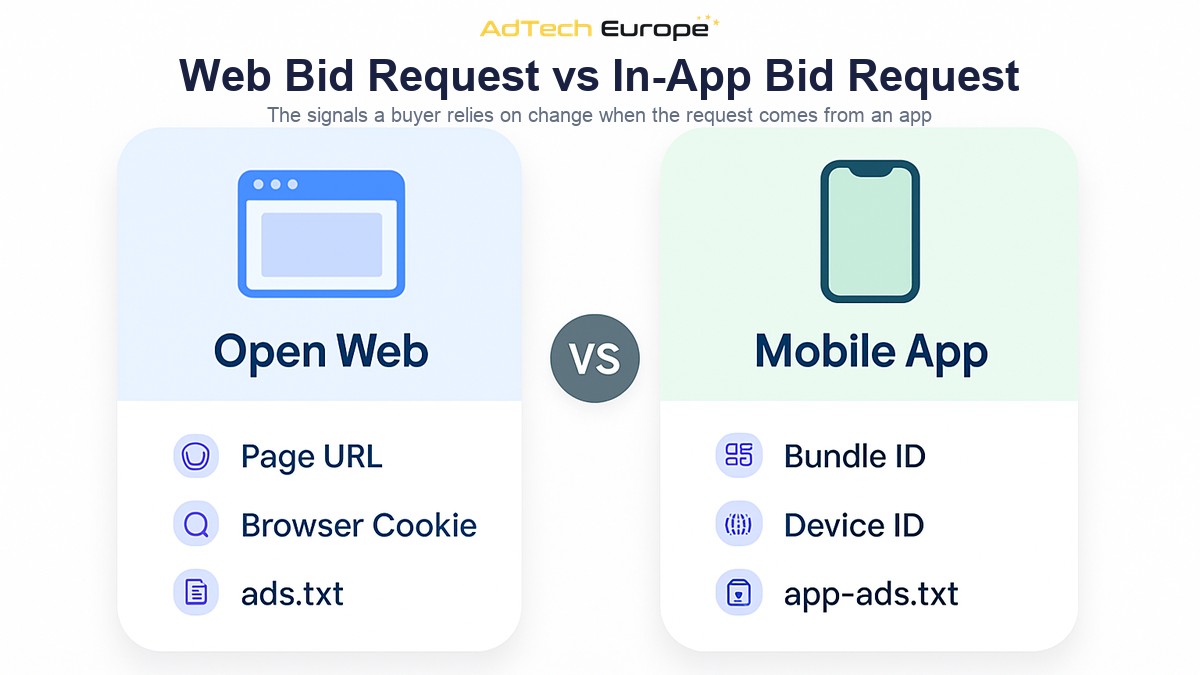
In OpenRTB, a bid request describes its inventory using either a site object or an app object. It should never carry both. That single branch is what tells your bidder which world it is buying in, and almost every practical difference follows from it.
The app object identifies the application by bundle ID — the package name on Android or the numeric App Store ID on iOS — plus a store URL, an app name, and a publisher block. Instead of a page URL and a referrer, your targeting and blocking logic has to work off the bundle. Instead of a cookie, the device is identified by a resettable advertising ID passed in the device object, when the user has allowed it.
| Signal | Open web request | In-app request |
| Inventory object | site | app |
| Primary identifier | Domain and page URL | Bundle ID and store URL |
| User identifier | Cookie or first-party ID | Advertising ID (IFA), when permitted |
| Location quality | Usually IP-derived | Can be device-derived, with consent |
| Rendering layer | Browser | Publisher SDK and MRAID container |
| Seller verification file | ads.txt on the domain | app-ads.txt on the developer site |
| Typical formats | Display, video, native | Interstitial, rewarded, playable, native, banner |
Two fields deserve particular attention on the buy side. The first is device.lmt, the limit-ad-tracking flag: when it is set, the user has opted out of personalized advertising and any audience segment keyed to that device should be ignored, not quietly reused. The second is app.bundle, because a malformed or mismatched bundle is the single most common signal of misrepresented app traffic.
The In-App Supply Chain: SDK, Mediation, and Exchange
On the web, a publisher can add a demand partner by pasting a tag. In an app, adding demand historically meant integrating another SDK and shipping a new app version through store review. That friction shaped the whole channel, and it is why an intermediary layer — mediation — became standard.
A mediation platform sits inside the app as one SDK and manages every connected demand source behind it. Early mediation ran a ranked waterfall, calling networks one at a time by historical average price. Modern setups run in-app bidding instead, which asks all connected sources to bid on the same impression simultaneously — the same structural shift described in our comparison of header bidding vs waterfall.
From your DSP’s point of view, the practical consequence is distance. Between the app and your bidder there may be a mediation platform, a supply-side platform, and one or more resellers, each taking a cut and each capable of adding or losing signal along the way. Shortening and auditing that chain is the whole point of supply path optimization, and it matters more in app than on the web because the chain is usually longer.
The supply chain also determines what you can enforce. A direct SSP connection lets you negotiate a clean bundle-level feed and hold someone accountable for it. A fourth-hop reseller feed rarely gives you either. Our checklist on how to connect SSPs to your DSP applies here in full, with one addition: ask specifically whether the feed is direct app supply or aggregated.
In-App Ad Formats a DSP Needs to Support
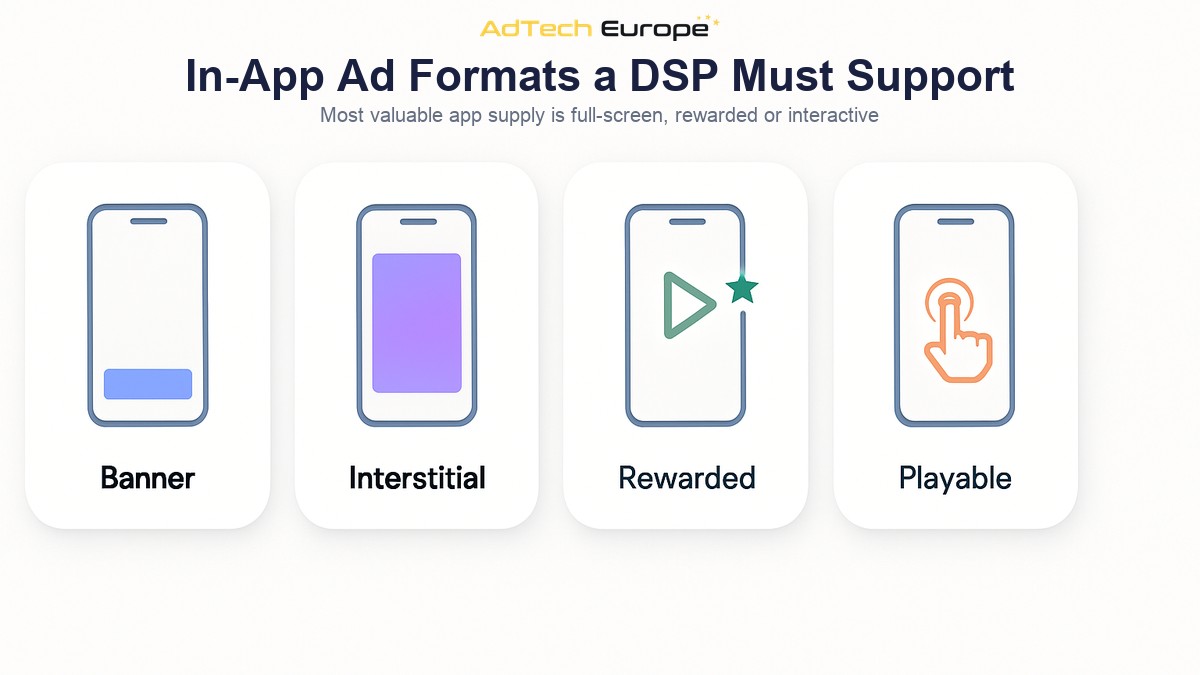
App inventory is format-led in a way web display is not. Games in particular monetize through full-screen and reward-based placements, and a platform that only serves banners will be excluded from most of the valuable supply before bidding even starts.
- Banner. Small fixed placements anchored to the top or bottom of the screen. Low cost, high volume, and rendered through the MRAID container rather than a plain iframe.
- Interstitial. A full-screen unit shown at a natural break, such as between game levels or after an article. Higher attention, higher price, and stricter creative requirements.
- Rewarded video. The user opts in to watch a video in exchange for in-app currency or a life. Completion rates are high because the exchange is explicit, and the format is dominated by gaming supply.
- Native. An ad rendered with the app’s own layout and styling, assembled from separate title, image, and call-to-action assets rather than one fixed creative.
- Playable. A short interactive demo, most often used for app-install campaigns, delivered as a self-contained interactive creative.
Two technical standards carry most of this. MRAID defines how a rich-media creative talks to the host SDK — how it expands, closes, or opens a click-through. VAST defines how a video creative and its tracking events are described. A DSP buying app inventory needs both, plus the native asset structure, or a large share of responses will simply be discarded as incompatible.
Format support also changes how you read performance. A rewarded video completion is not comparable to a banner view, and averaging them into one blended number hides which format is actually working. Splitting win rate, CPM, and conversion reporting by format is the minimum useful reporting cut for app campaigns.
Identity and Measurement Inside Apps
Apps never used third-party cookies. They used a platform-issued advertising identifier: the IDFA on iOS and the Google Advertising ID on Android. Both are resettable by the user, and both are device-scoped rather than browser-scoped, which historically made app targeting more stable than web targeting rather than less.
That changed with App Tracking Transparency. Since iOS 14.5, an app must ask the user for permission before accessing the IDFA for cross-app tracking, and without that permission the identifier is not available. Android has moved in a similar direction with its own opt-out and Privacy Sandbox work. The result is a large volume of app traffic that is genuinely anonymous at the device level.
Measurement adapted through platform-run attribution frameworks — Apple’s SKAdNetwork, and its successor AdAttributionKit — which report install conversions in aggregated, delayed form instead of exposing a user-level click-to-install path. For a buyer, that means app-install performance data arrives later and coarser than web conversion data, and campaign pacing has to tolerate the lag.
The practical answer is not to chase the missing identifier. It is to lean on the signals that survive: the bundle, the placement, the format, the geography, the time of day, and your own first-party conversion data. Contextual and inventory-level optimization does most of the work in app now, which is one reason owning the bidding logic matters — you can weight those signals yourself instead of accepting a vendor’s fixed model.
Verifying App Supply: app-ads.txt and Bundle Hygiene
App inventory has a specific fraud pattern: bundle ID misrepresentation. A low-value or non-existent app declares itself as a popular one, and a buyer targeting that popular app pays a premium for an impression that never happened where it claimed to happen. Because the buyer cannot open a URL and look at the page, the deception is harder to spot manually than on the web.
The industry answer is app-ads.txt. The developer publishes an authorized-sellers file on the domain listed in the app’s store listing, and any buyer can fetch that file and confirm that the seller offering the impression is actually allowed to sell it. The mechanics, and the sellers.json file that completes the chain in the other direction, are covered in our post on ads.txt, app-ads.txt, and sellers.json.
Beyond the file, a few checks catch most of the rest. Confirm the bundle actually resolves in the relevant app store. Compare the declared app name against the bundle. Watch for a single bundle appearing across an implausible spread of unrelated sellers. And treat requests with a missing or malformed bundle as unbuyable rather than as generic mobile traffic.
What to Configure Before Buying App Traffic at Scale
Turning on app supply is a configuration exercise, not a switch. The list below is the order that tends to cause the fewest surprises.
- Separate app and web campaigns. Different formats, different identifiers, different benchmarks. Blending them makes both unreadable.
- Enable the formats you can actually serve. Confirm MRAID, VAST, and native asset support end to end before bidding on those placements, not after.
- Turn on app-ads.txt verification. Make it a bidding condition, not a post-campaign report.
- Start with a bundle allowlist. Buy a known set of apps first, learn what performs, then widen. Open targeting across all app supply is the most expensive way to discover a blocklist.
- Set frequency caps per device, not per cookie. App frequency logic keys off the advertising ID, and it has to degrade gracefully when that ID is absent.
- Give install campaigns a longer measurement window. Aggregated attribution reports late; judging a first day on same-day data will mislead you.
- Report by bundle and by supply path. The bundle tells you what you bought; the path tells you what you paid to get it.
Every item on that list is easier when the platform is yours. On a rented seat, format support, verification rules, and bidding logic are whatever the vendor has decided to expose. On an owned platform, they are settings you control — and app buying is precisely the channel where those controls decide whether the spend works.
Ready to Buy App Inventory on Your Own DSP?
AdTech Europe supplies the demand-side platform technology behind agencies, ad networks, and media-buying teams that would rather own their infrastructure than rent access to someone else’s. Every plan includes unlimited QPS scaling, white-label branding, and access to 1,000+ SSP integrations covering web, app, and emerging channels, so app supply is part of the platform rather than an add-on you negotiate separately.
As of September 2026, the White Label DSP is $500 per month with no setup fee and a month-to-month contract, deployed within 24 hours. A DSP License is $25,000 one-time, and a DSP Acquisition with full source code ownership is $50,000 one-time, both available as five monthly installments and both deployed in five to seven business days. Current details are always on the pricing page.
If you are planning to add app inventory to your buying mix and want to walk through formats, supply verification, and bidder configuration against your own campaigns, you can schedule a programmatic strategy meeting with the team.
FAQs
What is in-app programmatic advertising?
In-app programmatic advertising is the automated purchase of ad placements inside mobile applications through real-time auctions. The auction mechanics match the rest of programmatic, but the inventory is described by an app bundle ID instead of a page URL, and the ad is rendered by an SDK inside the app rather than by a browser.
How is an in-app bid request different from a web bid request?
An in-app request carries an OpenRTB app object instead of a site object. That means a bundle ID and store URL in place of a domain and page URL, a device advertising ID in place of a cookie, and format signals for interstitial, rewarded, or playable units that the open web does not use.
What is app-ads.txt and why does it matter for app buying?
App-ads.txt is a file published on the app developer’s website that lists the sellers authorized to sell that app’s inventory. Buyers use it to confirm that whoever is offering an app impression actually has the right to sell it, which is the main defense against bundle ID misrepresentation.
Can you still target audiences in apps after App Tracking Transparency?
Device-level audience targeting only works when the user has granted permission and the advertising identifier is present in the request. For the rest of app traffic, targeting relies on contextual and inventory-level signals such as the bundle, the placement, the format, geography, and time, plus your own first-party conversion data.
Why does a DSP need MRAID and VAST support for app inventory?
MRAID defines how a rich-media creative interacts with the publisher’s SDK, and VAST defines how video creatives and their tracking events are described. Without both, a large share of app placements will reject or discard your creative, so those bid responses never turn into served impressions.
What is mediation in mobile app advertising?
Mediation is a layer inside the app that manages multiple demand sources through a single SDK, sparing the publisher from integrating each partner separately. Older mediation ran a ranked waterfall; modern in-app bidding asks all connected sources to bid on the same impression at once.
Do you need your own DSP to buy in-app inventory?
No, but ownership changes what you can control. On an owned platform you set the format support, the supply verification rules, the bundle allowlists, and the bidding logic yourself, instead of working within whatever configuration a rented seat exposes.