Every programmatic transaction depends on a simple assumption: the seller offering the impression is actually authorized to sell it. For most of the industry’s history, buyers had no reliable way to check that assumption before spending against it, and domain spoofing, where fraudulent sellers impersonate premium publishers, cost advertisers real budget with no way to catch it in real time.
Three files fixed that gap: ads.txt, app-ads.txt, and sellers.json. Together they let a buyer, or the DSP bidding on a buyer’s behalf, confirm that a specific seller is authorized to sell a specific publisher’s inventory before a single bid is placed. None of them are complicated once the pieces are laid out, but the terminology overlaps enough that DSP owners and media buyers often use the names interchangeably even though each file answers a different question.
This guide explains what each file actually is, how they work together through the OpenRTB supply chain object, how a DSP owner should be checking them in practice, and what happens to campaigns that skip the check.
What Is ads.txt and Why It Exists
ads.txt stands for Authorized Digital Sellers. It is a plain text file that a website publisher hosts at a fixed, predictable location: example.com/ads.txt. The file lists every company allowed to sell that publisher’s ad inventory programmatically, one line per authorized seller.
The IAB Tech Lab introduced ads.txt in 2017 specifically to stop domain spoofing, where a fraudulent seller would claim to be reselling inventory from a well-known publisher that had never actually authorized them. Before ads.txt, a DSP had no independent way to verify that claim; it either trusted the SSP passing the bid request or it did not. ads.txt gave buyers a public, publisher-controlled source of truth to check against instead.
Each line in an ads.txt file follows a fixed format: the SSP’s domain, the publisher’s seller account ID with that SSP, a relationship type of either DIRECT or RESELLER, and an optional certification authority ID. DIRECT means the publisher has a direct account with that SSP. RESELLER means the SSP is authorized to resell the inventory on behalf of another intermediary, which is common in ad network and aggregator setups.
app-ads.txt: The Same Idea for Mobile Apps
ads.txt was built for websites, which have a domain to host the file on. Mobile apps do not have a domain in the same sense, so the IAB Tech Lab published app-ads.txt in 2019 to close the same gap for in-app inventory.
Instead of living on the app itself, an app-ads.txt file is hosted on the domain listed as the developer’s website in the app’s store listing, at developer-domain.com/app-ads.txt. It uses the exact same line format as ads.txt: SSP domain, seller account ID, DIRECT or RESELLER, and an optional certification ID. A DSP verifying an in-app bid request looks up the developer’s declared website from the store listing referenced in the bid request, then checks that domain’s app-ads.txt file for the SSP sending the request.
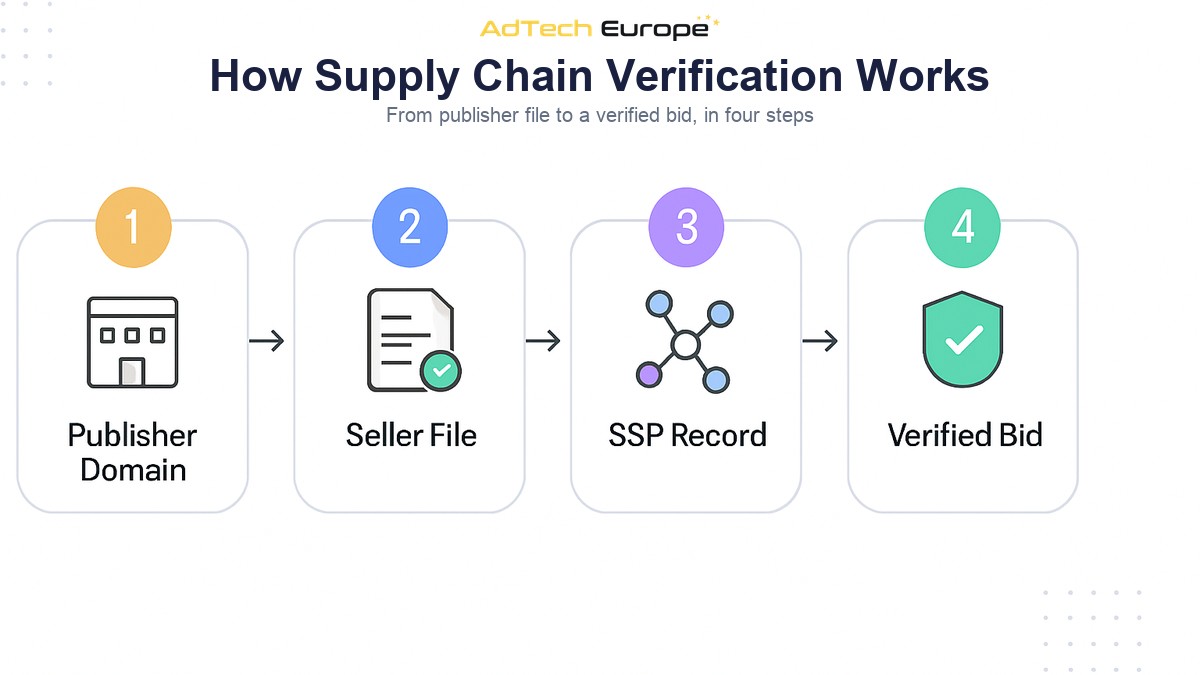
sellers.json and the Supply Chain Object: Completing the Picture
ads.txt and app-ads.txt answer one question: is this SSP authorized to sell this publisher’s inventory. They do not, by themselves, tell a buyer anything about the SSPs and intermediaries sitting between the publisher and the DSP when a chain of resellers is involved. That is what sellers.json and the OpenRTB SupplyChain object, often written as schain, are for.
sellers.json is a file each SSP or exchange publishes at its own domain, listing every seller account it operates on behalf of, along with each account’s seller type (publisher, intermediary, or both) and, optionally, the seller’s name and domain. The schain object rides inside the bid request itself and lists every intermediary the impression passed through on its way from the publisher to the DSP, in order. Cross-referencing the schain nodes against each SSP’s sellers.json file lets a buyer confirm that every hop in the chain is a declared, identifiable party rather than an unnamed pass-through.
| File | Hosted By | Confirms |
| ads.txt | Website publisher, at their own domain | Which SSPs are authorized to sell this website’s inventory |
| app-ads.txt | App developer, at their declared website domain | Which SSPs are authorized to sell this app’s inventory |
| sellers.json | Each SSP or exchange, at its own domain | Which seller accounts that SSP operates or represents |
| SupplyChain (schain) object | Passed inside the bid request by the SSP | The full path of intermediaries an impression passed through |
Used together, these four pieces let a DSP‘s buying logic confirm, on every single bid request, that the inventory being offered is coming from a publisher-authorized path rather than an unverified or spoofed one.
How to Actually Check ads.txt and sellers.json Authorization
Checking supply chain authorization is not a one-time setup task. It runs continuously, ideally as an automated step in the bidding pipeline rather than a manual audit. A practical checking process looks like this:
- Fetch and cache ads.txt / app-ads.txt files for the publishers and apps sending traffic, refreshing the cache on a regular schedule since publishers update these files without notice.
- Match the incoming bid request’s publisher domain or app bundle against the cached file, confirming the sending SSP appears with the correct relationship type.
- Fetch and cache sellers.json files from every connected SSP, again refreshing periodically rather than only at integration time.
- Parse the schain object on each bid request and confirm every node resolves to a seller account listed in the corresponding sellers.json file.
- Flag or drop bid requests where the SSP is missing from ads.txt entirely, listed with the wrong relationship type, or where an schain node cannot be resolved against sellers.json.
- Log authorization failures by SSP so a pattern of repeated failures from one source, rather than an isolated one-off, gets flagged for a manual review of the connection.
This is one of the checks that belongs on the technical checklist before connecting a new SSP to a DSP, and it should be re-run periodically after the connection is live, not just once during onboarding. Supply sources change what they represent over time, and a connection that was clean at setup is not guaranteed to stay that way.
What Goes Wrong When These Files Are Missing or Ignored
A publisher without an ads.txt file, or an SSP without a sellers.json file, is not automatically fraudulent. Plenty of smaller or newer publishers simply have not set the files up. But from a buyer’s perspective, unverifiable inventory carries a risk profile closer to unverified inventory than to inventory that has passed a check.
DSPs that skip the check entirely, or that check once at integration and never again, tend to run into the same handful of problems: budget spent on domain-spoofed inventory that never reaches the real audience it claims to; a schain with unresolved or anonymous intermediaries, which makes it impossible to know how many parties are taking a cut of the media spend between the publisher and the DSP; and brand safety incidents where an advertiser discovers after the fact that their ads ran through a reseller path nobody at the buying side had actually verified.
None of these outcomes require anyone to act in bad faith on the buying side. They are simply what happens by default when a verification step that could run automatically is left out of the pipeline.
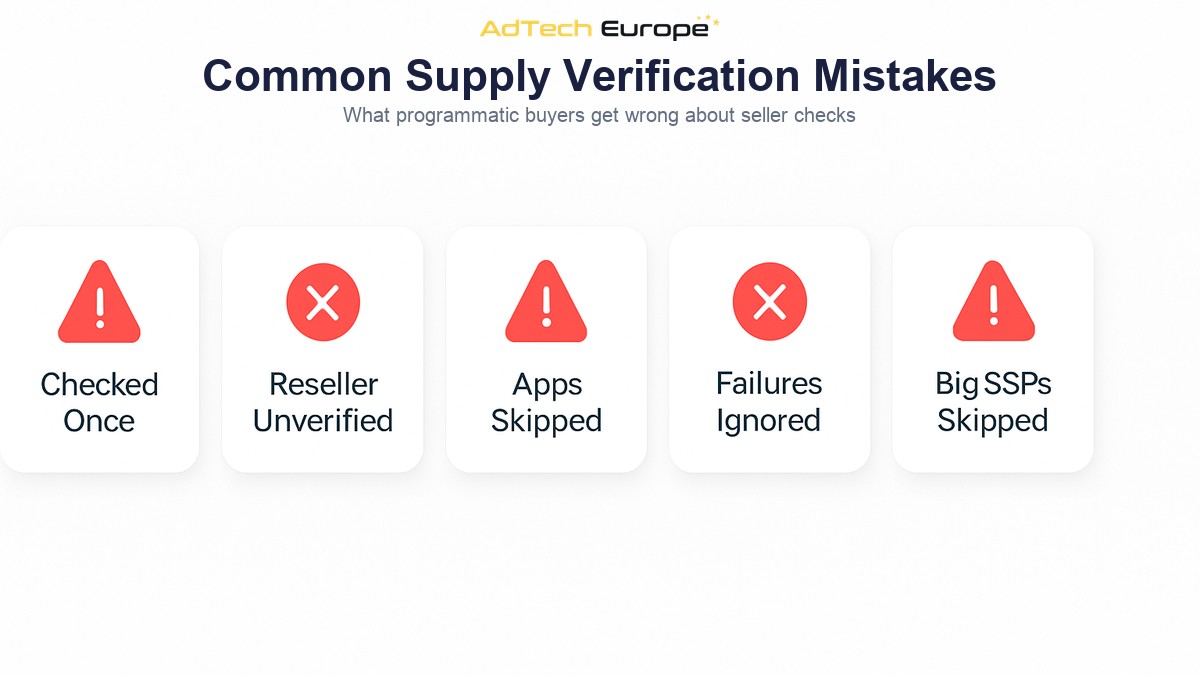
Common Mistakes Programmatic Buyers Make With Supply Verification
- Checking ads.txt once during SSP onboarding and never refreshing the cached file afterward, missing changes publishers make later.
- Treating a RESELLER line the same as a DIRECT line without checking whether the reseller chain is actually declared correctly in sellers.json.
- Skipping app-ads.txt checks on in-app traffic because the workflow was originally built for web-only inventory.
- Logging authorization failures without ever reviewing them, so a repeatedly failing SSP connection goes unnoticed for months.
- Assuming a large, well-known SSP does not need the same level of checking as a smaller one, when authorization can fail at the individual seller-account level regardless of the SSP’s overall size.
This kind of supply verification sits alongside the broader discipline of supply path optimization, which is concerned with routing each impression through the cleanest available path once multiple sources overlap. Verification confirms a path is legitimate; optimization decides which legitimate path is worth using. A DSP needs both, and neither one substitutes for the other.
Why This Matters More for DSP Owners Than for Ad Buyers Using a Managed Platform
Advertisers buying through a managed, third-party DSP generally trust that platform to run these checks on their behalf, without much visibility into how thoroughly it happens. A DSP owner does not have that layer of abstraction. The verification pipeline is either built into the platform’s bidding logic or it is not, and if it is not, every campaign running through the platform inherits that gap.
This is one of the practical reasons platform owners going the White Label, License, or Acquisition route with a platform that already has ads.txt, app-ads.txt, and sellers.json verification built into its bidding pipeline start from a materially different position than one building the checking logic from scratch. AdTech Europe’s platforms run these checks against the 1,000+ SSP integrations that ship pre-connected, and the same supply onboarding process that brings a new SSP into the platform includes confirming its sellers.json is in place before traffic starts flowing.
Ready to Buy Programmatic Inventory With Verified Supply Paths?
AdTech Europe helps agencies, ad networks, and media-buying teams own a DSP instead of renting access to one, with supply chain verification against ads.txt, app-ads.txt, and sellers.json built into the platform’s bidding pipeline from day one. Whether the goal is a fully managed white-label platform, a licensed DSP, or full source-code acquisition, current pricing for each ownership model is published and kept up to date.
To see how supply chain verification runs inside the platform, or to talk through a brand safety and fraud prevention setup for a specific use case, schedule a programmatic strategy meeting with the AdTech Europe team.
FAQs
What is the difference between ads.txt and sellers.json?
ads.txt is published by a publisher and lists which SSPs are authorized to sell that publisher’s inventory. sellers.json is published by an SSP and lists which seller accounts that SSP operates or represents. A buyer typically checks both together with the schain object to verify a full transaction path.
Is app-ads.txt required for mobile app inventory?
It is not legally required, but it is the industry-standard way to verify authorized sellers for in-app inventory, and most major SSPs and DSPs treat app traffic without a valid app-ads.txt entry as unverified.
What does DIRECT vs RESELLER mean in an ads.txt file?
DIRECT means the publisher has a direct account relationship with that SSP. RESELLER means the SSP is authorized to resell the inventory on behalf of another intermediary, which is common when inventory passes through an ad network or aggregator before reaching the SSP.
What is the SupplyChain (schain) object?
The schain object is a field in the OpenRTB bid request that lists every intermediary an impression passed through between the publisher and the SSP sending the bid request, in order, so a buyer can trace the full supply path rather than only the last hop.
Does having ads.txt guarantee traffic is fraud-free?
No. ads.txt confirms authorization, not traffic quality. A properly authorized seller can still send low-quality or invalid traffic, which is why supply chain verification is typically paired with separate traffic quality and fraud detection measures, not treated as a replacement for them.
Who is responsible for checking ads.txt and sellers.json, the DSP or the SSP?
In practice it is the buying side’s responsibility, since the DSP is the one deciding whether to bid. Some SSPs perform their own checks before forwarding bid requests, but a DSP that relies solely on the SSP’s filtering has no independent verification of its own.