Every programmatic buyer has seen it happen at least once. A client’s ad appears next to a story it should never have been near, someone takes a screenshot, and the conversation stops being about CPMs. The campaign may have hit every performance target, but none of that matters once the brand feels exposed.
Open-auction buying makes this harder than it sounds. Your platform may evaluate thousands of bid requests a second from sites and apps no human on your team has ever visited. The only way to keep ads away from the wrong places at that speed is to write the rules down in advance and let the buying platform apply them before every bid. Those rules are your brand safety blocklists.
This guide explains what a brand safety blocklist is, how category, domain, app and keyword blocking actually work inside a demand-side platform, where each method fails, how blocklists compare with allowlists, and how to build and maintain a list that protects clients without starving campaigns of reach.
What Is a Brand Safety Blocklist?
A brand safety blocklist is a set of rules that tells a buying platform where an advertiser’s ads must not run. Each rule describes something the buyer can detect in a bid request: a content category, a website domain, a mobile app, or words that appear in the page or its metadata. When an incoming impression matches a rule, the platform does not bid on it.
The important word is “before”. A blocklist works pre-bid. It is not a report you read after the money is spent. The check happens in the few milliseconds between the moment a bid request arrives and the moment your platform decides whether to answer it. If you want to see exactly which fields that decision uses, our guide on what a bid request contains walks through the full OpenRTB object.
Brand safety is also different from fraud prevention, although the two are often discussed together. Fraud prevention asks whether the impression is real: is there a genuine person, on a genuine device, on the site the seller claims? Brand safety assumes the impression is real and asks a different question: is this a place where this advertiser wants to be seen? A campaign needs both. A perfectly human audience on the wrong kind of page is still a problem, and a perfectly safe page filled with bots is still wasted money.
The Four Types of Blocking Inside a DSP
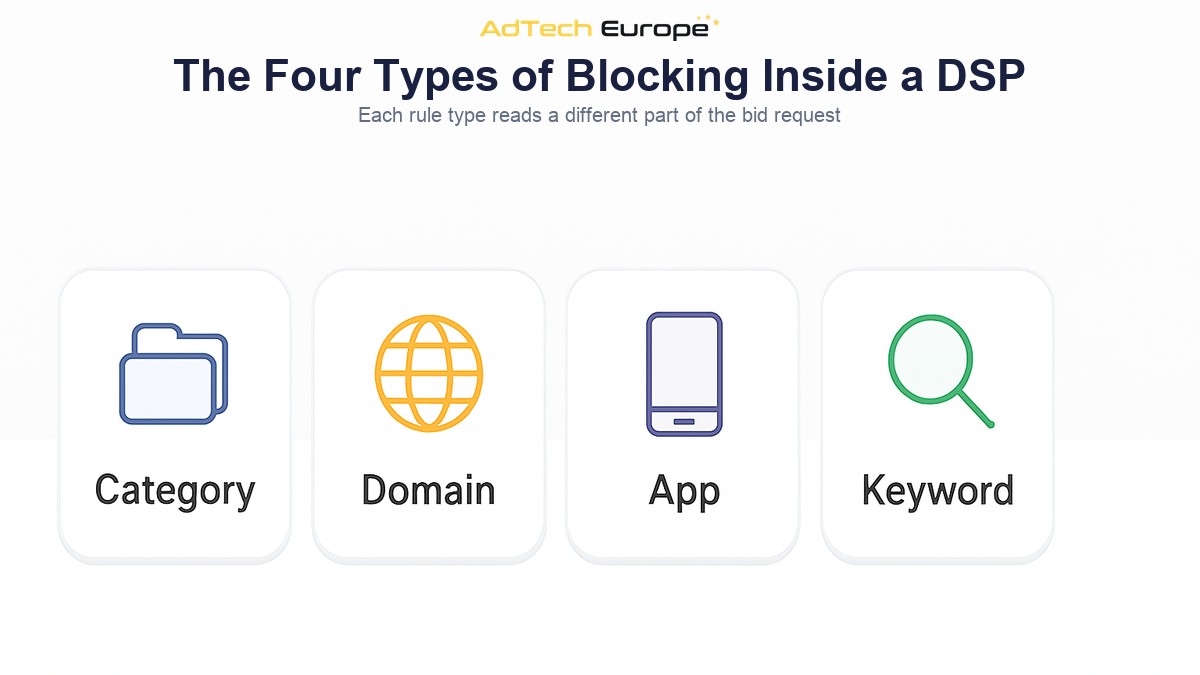
Most buying platforms support four kinds of blocking rules. They work at different levels of detail, and each depends on a different part of the bid request being present and accurate.
| Blocking type | What it matches | Where the signal comes from | Main weakness |
| Category | Whole content themes, such as adult content, gambling or violent news | Category codes the seller includes in the request, or a third-party classification | Only as accurate as whoever labelled the page |
| Domain | Specific websites | The site domain and page URL in the request | New and spoofed domains appear faster than lists are updated |
| App | Specific mobile or CTV apps | The app bundle ID or store ID in the request | Bundle IDs can be misdeclared by the seller |
| Keyword | Words in the page URL, title, content keywords or text | Request keyword fields, URL text, or contextual analysis of the page | Blocks safe pages that simply mention a sensitive word |
Category Blocking
Category blocking is the broadest tool. In OpenRTB, a seller can describe the content of a site or app with category codes, usually taken from the IAB Tech Lab Content Taxonomy. The request can carry categories for the whole site, for the current section, and for the current page. Newer versions of the protocol also include a field that says which version of the taxonomy the codes come from, so buyer and seller read the same code the same way.
On the buying side, you select the categories an advertiser must avoid and the platform skips any request that carries one of them. It is fast and easy to set up. The weakness is that the seller chooses the label. A publisher with an interest in selling more impressions has little reason to tag its own pages as sensitive, and many requests arrive with a single generic category for the whole site or no category at all. Category blocking is a useful first filter, not a complete answer.
Domain and App Blocking
Domain blocking is the most precise tool you have. If a site has caused a problem once, you add its domain and your platform will never bid on it again. App blocking does the same for mobile and connected TV apps, using the app’s bundle or store identifier instead of a domain.
Precision comes with two limits. First, a domain list only covers places you already know about, and new sites appear every day. Second, the domain in the request is a claim made by the seller. Fraudulent supply can declare a respectable domain while serving the ad somewhere else. This is why domain blocking should always be paired with supply chain checks. Our guide to ads.txt, app-ads.txt and sellers.json explains how buyers verify that a seller is actually authorised to sell a given domain or app.
Keyword Blocking
Keyword blocking looks for specific words or phrases connected to the impression. At its simplest, the platform scans the page URL and any keyword fields in the request. More advanced setups use a contextual analysis service that reads the actual page text, often before the auction, and returns a signal the buying platform can act on.
Keywords catch things categories miss, such as a breaking news story on an otherwise safe site. They are also the easiest way to overblock. A list containing words like “shooting”, “attack” or “crash” will block crime reports, but also basketball coverage, cybersecurity news and stock market commentary. Keyword lists need the most care of any rule type, and we come back to that below.
Blocklists vs Allowlists: Which Should You Use?
A blocklist says “bid everywhere except here”. An allowlist, sometimes called an inclusion list or whitelist, says “bid only here”. They are opposite approaches to the same problem, and most mature buying teams use both, for different campaigns.
| Factor | Blocklist | Allowlist |
| Default behaviour | Bid on everything not listed | Bid only on what is listed |
| Reach | Large, grows as new supply appears | Limited to the approved list |
| Protection from unknown sites | Weak: new sites are allowed until someone adds them | Strong: new sites are excluded until someone approves them |
| Maintenance effort | Ongoing additions as problems are found | Ongoing reviews to add good new supply |
| Typical use | Performance and prospecting campaigns | Sensitive brands, regulated sectors, premium deals |
A common pattern is to keep one shared blocklist that applies to every campaign on the platform, then add allowlists on top for the clients who need tighter control. A bank or a children’s brand may run only on an approved list of a few hundred domains. A performance advertiser selling a mass-market product may run on open supply with the shared blocklist and a short client-specific list.
How a Blocklist Check Happens Before the Bid
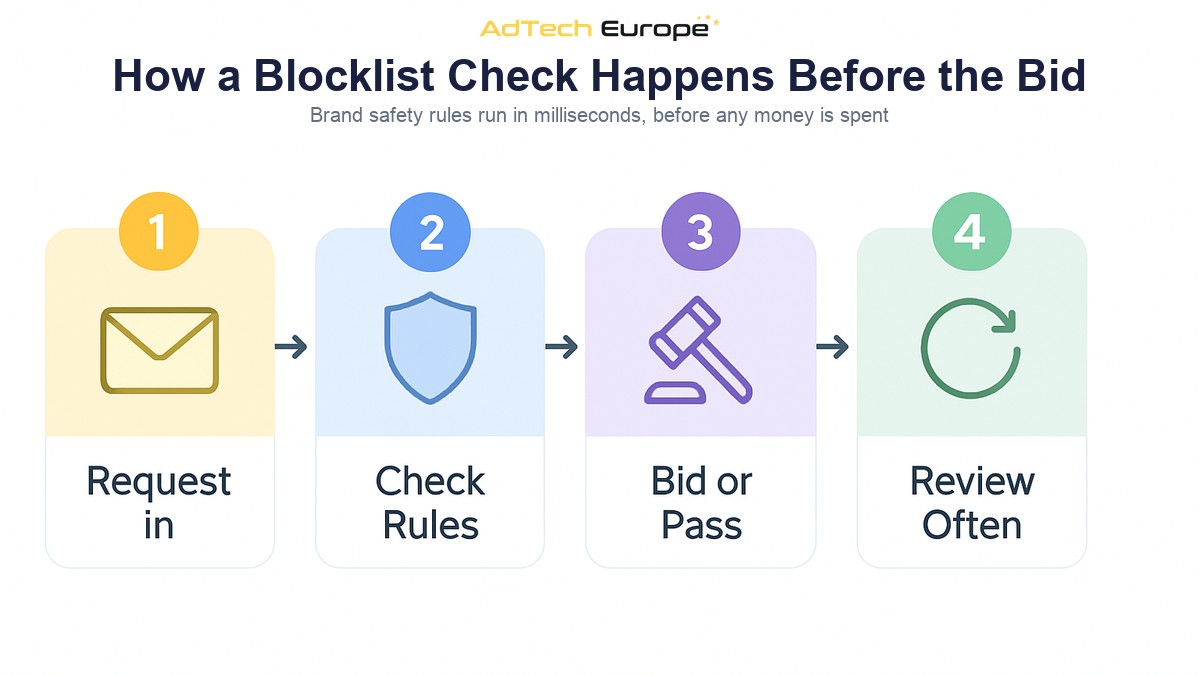
From the platform’s point of view, brand safety is just another filter in the bidding pipeline. The order of operations looks like this:
- The request arrives. An SSP or exchange sends a bid request with the domain or app, the page URL, any category codes, device data and the supply chain.
- The platform checks shared rules. Platform-wide blocks are applied first: known bad domains, apps, sellers and categories that no campaign should ever buy.
- Each eligible campaign applies its own rules. Client-level blocklists, allowlists and keyword rules remove the campaigns that must not bid on this impression.
- Optional third-party signals are added. If a contextual or verification service is connected, its pre-bid verdict is used as another rule.
- The platform bids or passes. If any campaign is still eligible, it prices the impression and answers. If not, it sends no bid, and no money is spent.
- Results feed back into the lists. Placement reports and post-bid checks show where ads actually ran, and anything that should not have passed is added to the lists.
Two practical points follow. Shared rules should run before campaign rules, because a request that no campaign may buy should be discarded as early and as cheaply as possible. And every check has to be fast. A buying platform that spends too long on filtering will time out and lose auctions it wanted to win, so brand safety rules are usually held in memory as simple lookups rather than evaluated from scratch on every request.
It also helps to know that publishers run blocking in the opposite direction. OpenRTB lets a seller pass lists of advertiser categories, advertiser domains and apps it will not accept. Your platform must respect those too, or its bids will simply be rejected. Brand safety is a two-way agreement, enforced in the same request.
Common Blocklist Mistakes
Most brand safety problems do not come from having no list. They come from lists that were set up once and never looked at again. These are the mistakes we see most often:
- Overblocking with broad keywords. Long keyword lists copied from old campaigns quietly remove large amounts of safe inventory, especially news. The result is lower reach, higher prices and fewer quality publishers in the mix.
- Trusting declared categories alone. If the seller chooses the label, a category block only protects you from sellers who label honestly.
- Blocking the domain but not the path. A domain can be sold directly, through several resellers, or spoofed entirely. Checking who is authorised to sell it matters as much as the domain itself. Our guide to supply path optimization covers how to trim risky routes to the same inventory.
- One list for every client. A gaming brand and a pharmaceutical brand have very different definitions of safe. Shared lists should cover what nobody buys; client lists should cover the rest.
- No record of why something was blocked. Without a reason and a date next to each entry, nobody dares remove anything, and the list only grows.
- Ignoring apps and CTV. Teams that built their lists for web often forget that app and TV supply is identified by bundle IDs, not domains, and needs its own entries.
How to Build and Maintain a Brand Safety Blocklist
A good blocklist is small, specific, documented and reviewed. The following process works for agencies and ad networks running many advertisers on one platform.
1. Agree the Brand’s Definition of Unsafe
Start with the advertiser, not the tool. Ask which topics are always unacceptable, which are acceptable in some contexts, and which are fine. Hard news about a conflict may be unacceptable for one brand and a natural fit for a news subscription offer. Write the answers down so the list can be traced back to a decision.
2. Build a Shared Base Layer
At platform level, block what no client should ever buy: illegal content, adult content where it is not the advertiser’s business, known fraudulent domains and apps, and sellers that fail supply chain checks. This layer rarely changes and protects every campaign automatically.
3. Add Client Layers
For each advertiser, add the categories, domains, apps and a short, precise keyword list that reflect their own policy. Prefer exact phrases over single words, and prefer category or contextual signals over keywords where the platform supports them.
4. Test the Reach Cost
Before switching a new list on, compare how many requests it removes. If a keyword list removes far more inventory than expected, look at a sample of the blocked pages. Very often a single broad word is responsible for most of the loss.
5. Review on a Schedule
Set a regular review, monthly for most teams and weekly for sensitive advertisers. Add new problem placements from placement reports and client feedback. Remove entries whose reason no longer applies. Keep an audit trail of who changed what, and when, so every decision can be explained to the client.
Brand safety sits alongside traffic quality, not instead of it. If you want to go further on the fraud side, our articles on why traffic quality should be your first priority and on ad fraud protection against invalid traffic cover the other half of the problem.
Why Owning the Platform Changes Brand Safety
When you buy through someone else’s platform, your blocklists live inside their product. You can use the rule types they offer, at the level of detail they allow, with the third-party integrations they have chosen. If a client asks why an ad ran somewhere, the answer depends on logs you may not be able to see in full.
Owning the platform moves those decisions to your side of the table. You decide which rules apply platform-wide, which inventory sources are approved or rejected, which verification partners are connected, and how long placement data is kept. You can build your own shared blocklist from everything your campaigns have learned, and apply it to every client from day one.
| Brand safety control | Renting a seat | Owning the platform |
| Platform-wide blocklist | Set by the vendor, often not visible | Set and maintained by you |
| Approving or rejecting supply sources | Limited to what the vendor exposes | Full control over which partners and zones you buy from |
| Verification integrations | Vendor’s choice | Your choice |
| Audit trail of changes | Partial | Complete, across all users and admins |
The AdTech Europe DSP platform includes admin-level inventory control to approve, reject or prioritise publisher zones, configurable anti-fraud layers across traffic partners and campaigns, anti-fraud integrations including IAS and semantic analysis, domain whitelisting, and audit logs of every user and admin action. Those are the building blocks of a brand safety policy you control yourself.
Ready to Control Brand Safety on a Platform You Own?
AdTech Europe supplies enterprise demand-side platform technology to agencies, ad networks, media buying teams and adtech entrepreneurs who want to own their buying stack instead of renting one. Every plan includes unlimited QPS scaling, 1,000+ SSP integrations, white-label branding and lifetime free upgrades, so your brand safety rules, supply choices and client lists stay under your control.
As of October 2026, the options are a managed White Label DSP at $500 per month with no setup fee, a DSP License at $25,000 one-time, or a full DSP Acquisition with complete source code ownership at $50,000 one-time, with instalment plans available on the two ownership tiers. Current figures are always on the DSP pricing page. To plan a brand safety setup around your own clients and supply, schedule a programmatic strategy meeting with our team.
FAQs
What is a brand safety blocklist?
A brand safety blocklist is a set of rules that tells a buying platform where an advertiser’s ads must not appear. Rules can target content categories, website domains, apps or keywords, and the platform checks them before every bid.
What is the difference between a blocklist and an allowlist?
A blocklist lets the platform bid everywhere except the listed places. An allowlist lets it bid only on the listed places. Blocklists keep reach high; allowlists give stronger protection for sensitive brands.
Is brand safety the same as ad fraud prevention?
No. Fraud prevention checks whether an impression is real and correctly described. Brand safety checks whether a real impression is in a suitable place for the advertiser. Campaigns need both.
Why does keyword blocking reduce reach so much?
Single words appear in many safe contexts. A word like “shooting” blocks crime news but also sports and photography pages. Using exact phrases, short lists and contextual signals keeps protection while losing far less inventory.
Where does a DSP get content categories from?
Sellers can include IAB Tech Lab content category codes for the site, section and page in the OpenRTB bid request. Buyers can also use third-party contextual services that classify the page independently of the seller.
How often should a blocklist be reviewed?
Monthly suits most advertisers, and weekly suits sensitive ones. Each review should add problem placements found in reports and remove entries whose reason no longer applies.