Video is one of the most valuable formats in programmatic buying, and also one of the most fragile. A display banner either loads or it does not. A video ad has to be found, fetched, decoded, played and measured, often through a chain of servers the buyer never sees. When any link in that chain breaks, the impression is lost, or worse, it is counted but never really shown.
Most of that chain runs on one standard: VAST, the Video Ad Serving Template published by the IAB Tech Lab. Next to it sits an older standard, VPAID, which many buyers still see in creative specs even though the industry has moved away from it. Knowing what these two do, and what goes wrong with them, explains a large share of the delivery and reporting problems in video campaigns.
This guide explains what VAST is, how a VAST response is built, how video ad serving works from bid request to player, why VPAID is being replaced, which errors cost buyers the most, and what changes when you run video buying on a platform you own.
What Is VAST?
VAST is an XML format that tells a video player which ad to play and how to report on it. When a player reaches an ad break, it asks an ad server for an ad. The answer comes back as a VAST document. That document lists the video files, the click-through address and the tracking addresses the player must call as the ad plays.
The point of a shared template is that any compliant player can play any compliant ad. A publisher does not need custom code for every buyer, and a buyer does not need custom creatives for every publisher. One VAST tag can run across thousands of sites, apps and connected TV channels.
VAST has gone through several versions. VAST 2.0 and 3.0 are still common in older players. VAST 4.x added separate high-quality mezzanine files for server-side ad insertion, a Universal Ad ID for tracking the same creative across platforms, and a dedicated section for verification scripts. Most modern players accept VAST 4, but many supply partners still ask for VAST 2 or 3 compatibility, so buyers should check what each placement supports.
Inside a VAST Response
A VAST document is a set of nested elements. You do not need to write XML by hand to buy video, but you should know the main parts, because most delivery problems can be traced to one of them.
| Element | What it holds | Why buyers care |
| Ad (InLine or Wrapper) | Either the full ad, or a pointer to another VAST document | Each wrapper adds a server hop, which adds delay and failure risk |
| Impression | Addresses the player calls when the ad starts | This is what most platforms count as a paid impression |
| Linear creative | Duration, skip offset and the list of media files | Wrong duration or missing formats means the player cannot play the ad |
| MediaFiles | The actual video files in different sizes, bitrates and types | The player picks the file that fits its screen and connection |
| TrackingEvents | Addresses for start, quartiles, complete, pause, mute and skip | These feed your completion rate and engagement reports |
| VideoClicks | Click-through address and click-tracking addresses | Controls where a viewer lands and how clicks are counted |
| AdVerifications | Verification scripts and their parameters (VAST 4.1 and later) | Lets measurement run without wrapping the whole ad in code |
| Error | An address the player calls with an error code when something fails | The only signal you get about ads that never played |
Two of these deserve extra attention. The tracking events are where your video metrics come from, so a creative with missing or broken quartile trackers will report as if nobody watched it. The error address is the only way to learn why an ad failed, so a VAST tag without one leaves you blind.
How Video Ad Serving Works, Step by Step
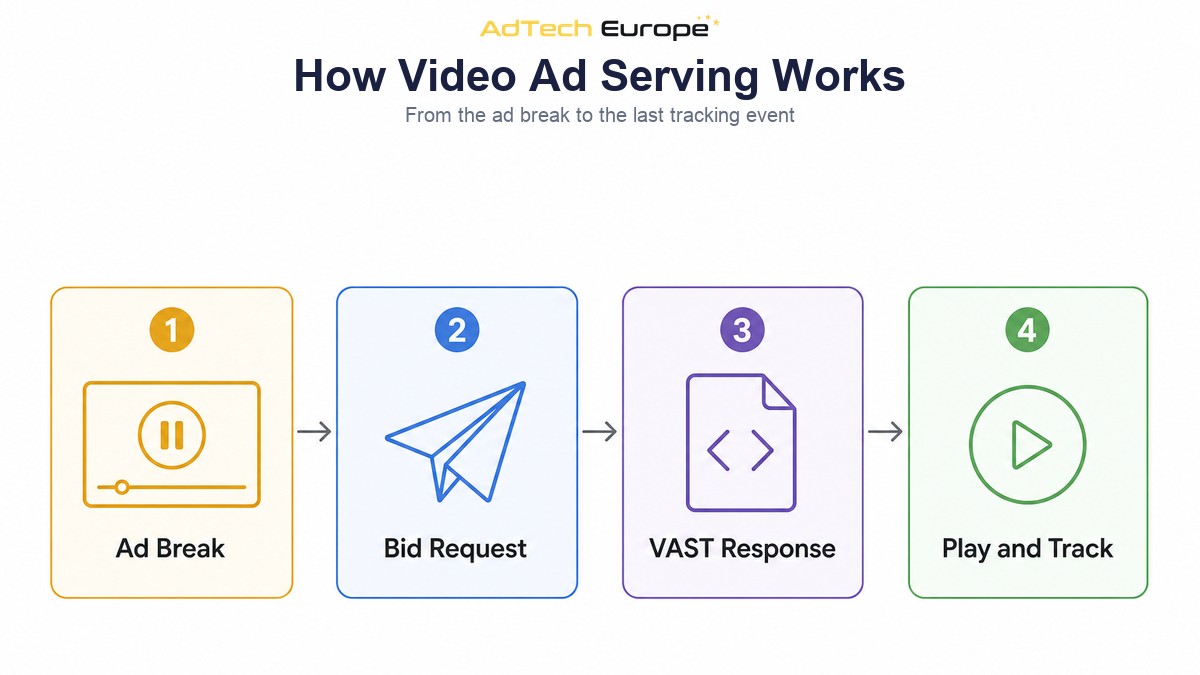
In programmatic buying, VAST is carried inside the normal real-time bidding flow. If you are new to that flow, our guide on how real-time bidding works covers the auction itself. For video, the steps look like this:
- The player reaches an ad break. It may be a pre-roll before the content, a mid-roll during it, a post-roll after it, or an out-stream unit inside an article.
- The SSP sends a bid request with a video object. It describes the slot: accepted file types, minimum and maximum duration, supported VAST versions, player size, whether skipping is allowed, and where the ad sits in the content.
- The DSP checks the slot against your campaign. If your creative does not fit the duration, size or protocol rules, the DSP should not bid. Bidding on slots your ad cannot fill wastes wins.
- The DSP returns a bid with VAST markup. The bid response carries either the VAST XML itself or an address where the player can fetch it.
- The player loads the VAST, follows any wrappers and picks a file. It chooses the media file that best matches its screen, connection and supported types.
- The ad plays and the trackers fire. Impression, start, quartiles and complete are sent to every tracking address in the chain. If anything fails, the player calls the error address.
The video object in step two is the most useful thing a buyer can learn to read. Our explainer on what a bid request is walks through the OpenRTB structure. For video, the fields to watch are the accepted MIME types, the duration range, the list of supported protocols, the start delay (which tells you pre-roll, mid-roll or post-roll), the placement type and the skip setting.
In-Stream, Out-Stream and Connected TV
VAST is used in very different environments, and each one has its own rules. A creative that works well in one can fail or underperform in another.
| Environment | Where the ad runs | What to check |
| In-stream (web and app) | Before, during or after video content in a player | Duration limits, skip rules, sound on or off |
| Out-stream | Inside articles or feeds, without other video content | Autoplay and muted start, viewability of the unit |
| Rewarded and interstitial in-app | Full-screen units inside mobile apps | App SDK support, end cards, file size on mobile networks |
| Connected TV | Streaming apps on smart TVs and devices | High-quality files, no interactive code, server-side insertion |
Connected TV is the strictest. Many CTV ads are stitched into the stream on the server, not played by a browser, so there is no place for interactive code to run. TV apps also expect larger, high-quality files. Our guide to CTV programmatic advertising covers that channel in detail, and the in-app programmatic advertising guide covers rewarded and interstitial video inside apps.
VPAID: What It Was and Why It Is Fading
VPAID, the Video Player-Ad Interface Definition, was created so that a video ad could be interactive. Instead of a plain video file, the VAST response pointed to a piece of code, first Flash and later JavaScript. That code took over the ad slot. It could show buttons, forms and games, and it could run measurement scripts.
The problem is that the same power made VPAID hard to trust and slow to load. An ad that runs its own code can delay playback, drain mobile batteries, behave differently on each player, and hide what it is doing. It also does not work in most connected TV and server-side environments, because there is no browser to run it. Many publishers and players now block or limit VPAID, and some supply sources reject it outright.
The IAB Tech Lab has split VPAID’s two jobs into separate, safer standards:
- OMID (Open Measurement) handles viewability and verification. Measurement code is listed in the AdVerifications section of VAST 4.1 and later and runs alongside the ad, instead of wrapping it.
- SIMID (Secure Interactive Media Interface Definition) handles interactivity. The player stays in control of the video, and the interactive layer runs in a separate frame on top.
- Plain VAST linear video handles everything else. For most performance and brand campaigns, a clean video file with proper trackers is all you need.
For buyers, the practical rule is simple. Unless a placement explicitly asks for interactive units and supports them, serve clean VAST video with measurement through OMID. You will reach more supply and lose fewer impressions to player errors.
VAST vs VPAID vs VMAP at a Glance
Buyers often see a third acronym in specs: VMAP, the Video Multiple Ad Playlist. It does not describe an ad. It describes the ad breaks inside a piece of content: when they happen and how many ads each one holds. The table below separates the three.
| Standard | What it describes | Who uses it | Status today |
| VAST | One ad: files, clicks, trackers, errors | Every video buyer and seller | The core standard, version 4.x current |
| VPAID | Code that controls an interactive ad | Older interactive and measurement setups | Being replaced by OMID and SIMID |
| VMAP | The schedule of ad breaks in content | Publishers and video players | Used in long-form content and streaming |
The VAST Errors That Cost Buyers the Most
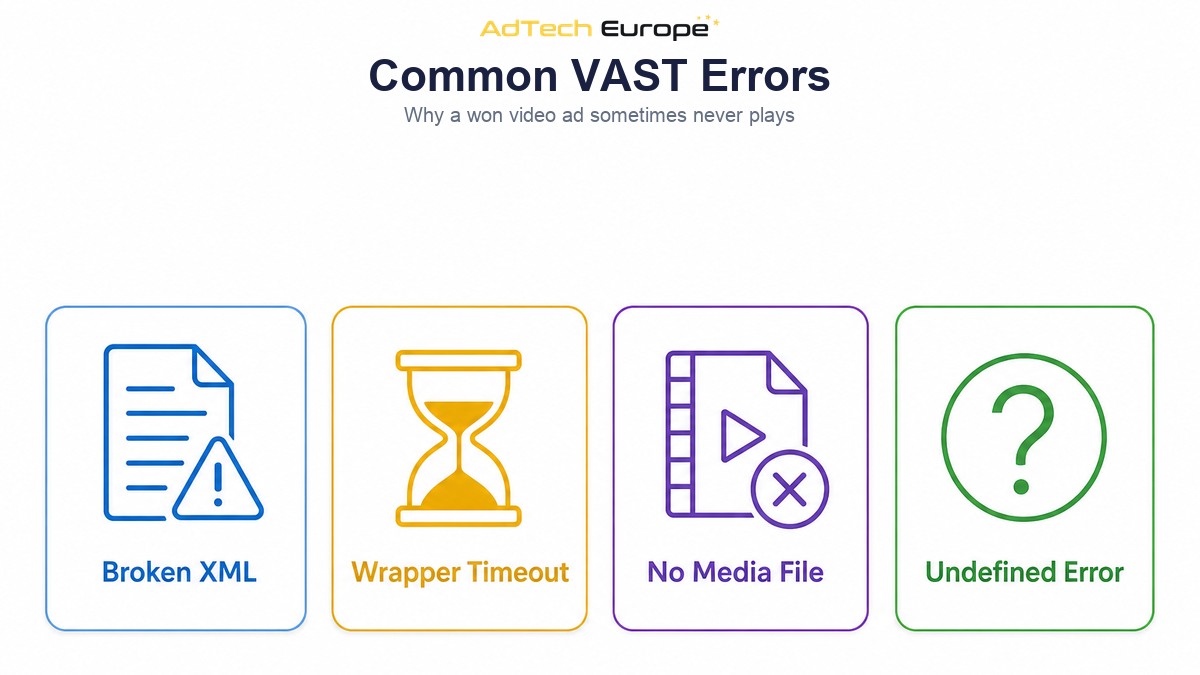
VAST defines numbered error codes that players send to the error address. You do not need to memorise the full list, but a few groups explain most lost video impressions:
- XML and version errors (100 range). The player could not read the VAST, or it does not support the version. Often caused by broken markup or by serving VAST 4 to an older player.
- Wrapper errors (300 range). A wrapper timed out, the chain had too many hops, or the last hop returned no ad. Long wrapper chains are one of the most common causes of lost video wins.
- Linear and media file errors (400 range). The file was not found, took too long to load, or no file matched what the player supports. This usually means the creative lacks the right formats or sizes.
- Undefined errors (900). Something failed and the player could not say what. Frequent 900 errors from one source are worth investigating.
Most of these can be prevented before launch. Keep wrapper chains short, ideally one hop or none. Upload several renditions of each video so every player can find a file that fits. Match the VAST version to what the placement supports. And make sure every creative carries a working error address, so failures show up in your reports instead of disappearing.
Video Metrics to Watch
VAST tracking events feed the video metrics in your DSP. Read them together, because each one on its own can mislead you. Our guide to DSP reporting metrics covers the general set; these are the video-specific ones.
| Metric | Based on | What it tells you |
| Starts | Start event | How many wins actually began playing |
| Quartile reach | First quartile, midpoint, third quartile | Where viewers drop off during the ad |
| Completion rate | Complete event divided by starts or impressions | How many viewers saw the full ad |
| Cost per completed view | Spend divided by completes | The real price of a fully watched ad |
| Error rate | Error calls divided by wins | How much you lose to technical failures |
A gap between wins and starts is the clearest warning sign. It means you are paying to win auctions for ads that never play. Check the error codes first, then the supply source. Some sources also produce completions that look too perfect, which is a reason to pair video buying with the traffic checks covered in our guide to brand safety blocklists.
Video Buying When You Own the Platform
When you rent a DSP seat, you get the platform’s video rules as they are. You cannot decide how strict the pre-bid checks on duration and protocols should be, how many wrapper hops the platform accepts, or which error codes trigger a source to be paused. You see the reports the platform chooses to show.
When you own the platform, those rules become yours. You can refuse to bid on slots your creatives cannot fill, set your own limits on VPAID and wrappers, keep the raw tracking and error data, and pause video sources based on your own error and completion thresholds. For agencies and ad networks that sell video to their own clients, that control is the difference between explaining delivery problems and preventing them. Video sits alongside display, native, audio and TV in the same campaign form, as listed on our advertising formats page.
Ready to Run Video on Your Own DSP?

AdTech Europe supplies demand-side platform technology to agencies, ad networks, media buying teams and adtech entrepreneurs who want to own their buying stack instead of renting one. In-stream and out-stream video run next to display, native, in-app, audio and TV formats, with no QPS fees, under your own brand and domain.
As of October 2026, you can rent the DSP for $500 a month (monthly plans carry a one-time setup fee equal to one month) or $5,000 a year, license it for $25,000 once or in 12 payments, or own the complete source code for $50,000. Current figures in every supported currency are on the pricing page, and the White Label DSP page shows the branded option. To plan a video setup around your own clients and supply, schedule a programmatic strategy meeting with our team.
FAQs
What is VAST in video advertising?
VAST, the Video Ad Serving Template, is an IAB Tech Lab XML standard that tells a video player which ad to play and how to report on it. It lists the video files, the click-through address and the tracking addresses for each event.
What is the difference between VAST and VPAID?
VAST describes an ad and how to track it. VPAID is code that runs inside the player to make an ad interactive or to measure it. VAST can deliver a VPAID unit, but most buyers now serve plain VAST video and use OMID for measurement.
Is VPAID still supported?
Some older web players still accept it, but many publishers, apps and connected TV environments block or limit VPAID. The IAB Tech Lab recommends OMID for measurement and SIMID for interactivity instead.
Which VAST version should I use?
Use the newest version each placement supports. VAST 4.x is the current standard and adds verification and high-quality file support, but some players only accept VAST 2 or 3. The supported versions are listed in the bid request’s video object.
What is a VAST wrapper?
A wrapper is a VAST response that points to another VAST response instead of holding the ad itself. Each wrapper adds a server hop, so long chains add delay and are a common cause of timeouts and lost impressions.
Why do my video wins not match my video starts?
The ad was won but did not play. Common causes are wrapper timeouts, missing file formats, unsupported VAST versions and player errors. Check the VAST error codes by supply source to find the cause.
What is VMAP?
VMAP, the Video Multiple Ad Playlist, describes when ad breaks happen in a piece of content and how many ads each break holds. It works with VAST: VMAP sets the schedule, and VAST fills each slot.