Launching a DSP is only useful when it can access real ad supply. Many advertisers, agencies, and ad-tech teams have the platform, bidder, campaigns, and buyers ready, but still struggle to connect DSP to ready ad supply fast enough to start meaningful campaign testing.
The problem is simple: supply integration can take too long. Teams may lose time dealing with technical setup, unclear requirements, low-quality sources, weak reporting, or inventory that does not match their campaign goals.
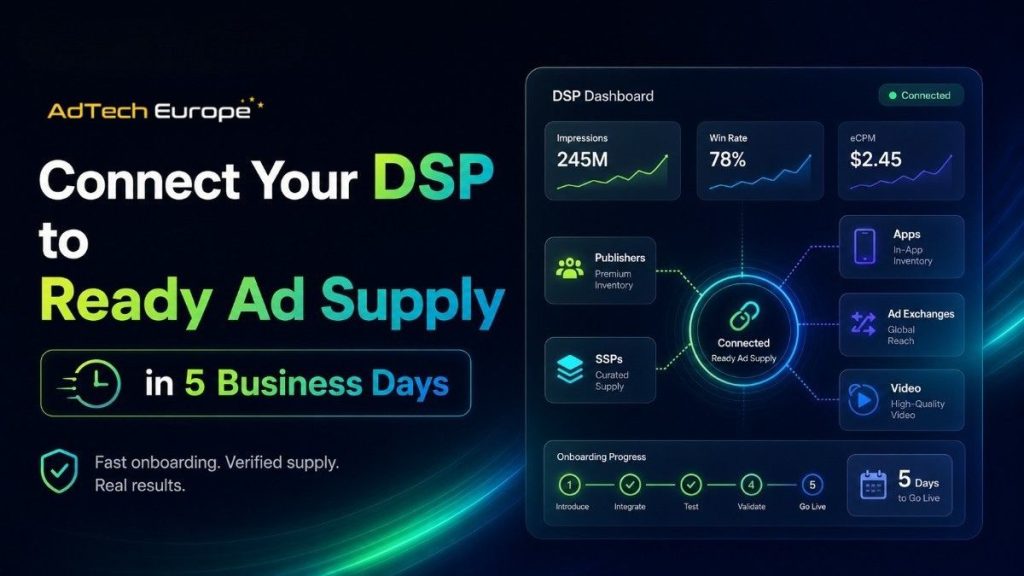
A faster DSP supply connection helps teams move from setup to live testing without waiting months for every partner deal. With the right endpoint, protocol, targeting rules, tracking, and quality checks in place, a DSP can start testing programmatic inventory within 5 business days.
Key Takeaways
- A DSP needs active ad supply before advertisers can buy impressions.
- Ready supply helps reduce launch delays and technical friction.
- OpenRTB and XML are common ways to connect DSPs with ad exchanges and supply partners.
- Traffic quality, QPS capacity, bid response speed, and source transparency matter before scaling.
- A 5-business-day setup works best when the DSP has tracking, targeting, creatives, and bid logic ready.
What Does It Mean to Connect a DSP to Ready Ad Supply?
Connecting a DSP to ready ad supply means linking your demand-side platform with inventory sources that can send real bid requests.
These sources may include:
- Ad exchanges
- SSPs
- Publisher networks
- Programmatic inventory providers
- Direct supply partners
Once connected, your DSP can receive bid requests, evaluate impressions, place bids, serve ads, and track results.
For DSP owners and media buyers, access to ready DSP inventory can shorten the time between platform setup and live campaign testing.
Why Ready Supply Matters for DSP Owners and Agencies
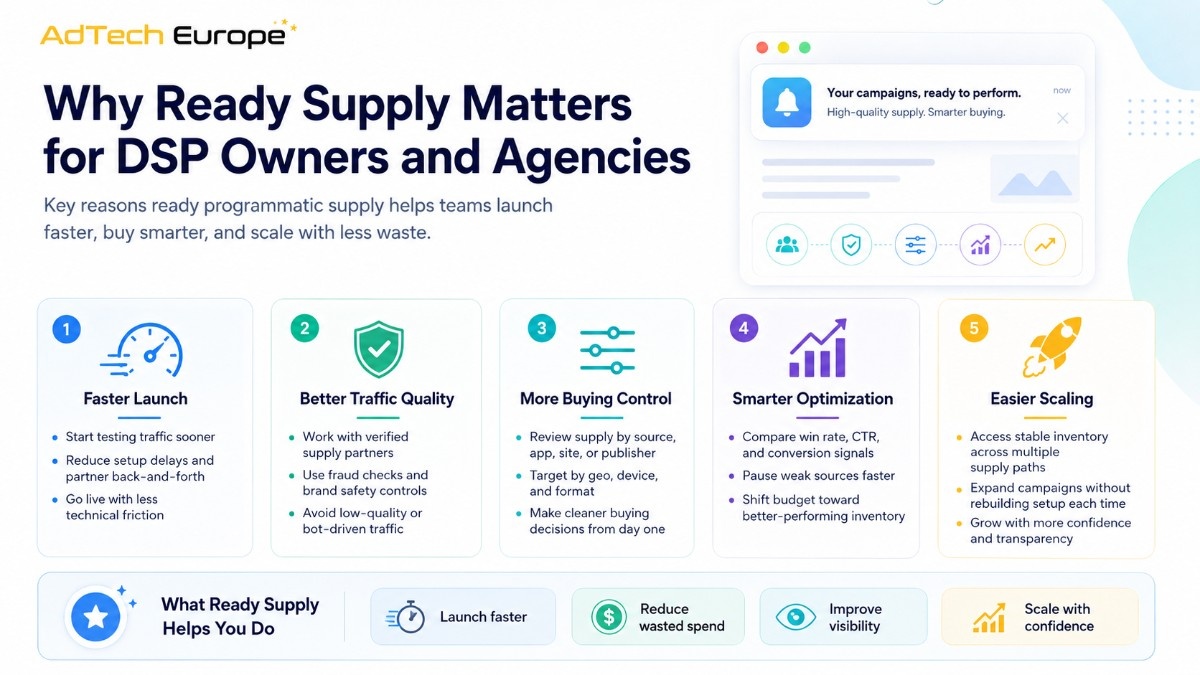
A DSP without supply cannot generate spend, test campaigns, or prove performance.
Ready supply helps teams move faster because the inventory connection is already prepared for programmatic buying.
|
Business Need |
Why Ready Supply Helps |
| Faster launch | Reduces long partner outreach and approval cycles |
| More testing | Lets buyers compare geos, devices, and formats sooner |
| Better control | Gives DSP teams source-level data for optimization |
| Lower waste | Helps filter weak traffic before scaling |
| Easier growth | Supports more volume when campaigns perform |
Ready supply is especially useful for agencies, ad networks, affiliate teams, and companies that want DSP ownership without waiting months to build every supply partnership from scratch.
How the 5-Business-Day DSP Supply Connection Works
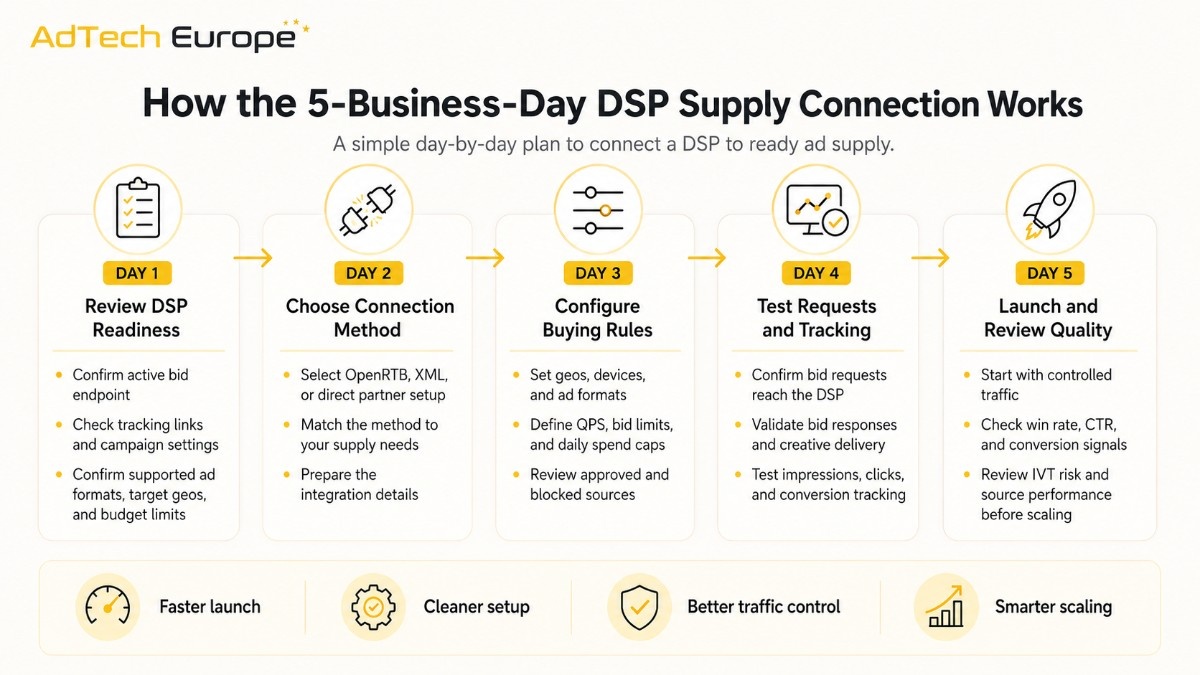
The process should stay simple. The goal is not to overbuild the setup. The goal is to connect, test, measure, and improve.
Day 1: Review DSP Readiness
Before supply is connected, your DSP should be checked for basic readiness.
Your team should confirm:
- DSP endpoint is active
- Bidder can process requests
- Tracking links are ready
- Campaign settings are configured
- Supported ad formats are clear
- Target geos and devices are defined
- Budget and bid limits are set
This step prevents wasted time during technical testing.
Day 2: Choose the Right Supply Connection Method
Most DSP supply connections use OpenRTB or XML.
|
Connection Type |
Best For |
Main Benefit |
| OpenRTB | Real-time bidding and scalable DSP buying | Standard programmatic communication |
| XML | Simpler feed-based or custom integrations | Flexible setup for selected supply paths |
| Direct partner setup | Strategic supply relationships | More control over traffic access |
For businesses that want broader marketplace access, OpenRTB connectivity can help a DSP communicate with ad exchanges and supply partners in a standard way.
Day 3: Configure Targeting, Formats, and QPS
After the connection method is selected, the DSP needs practical buying rules.
This includes:
- Countries and regions
- Device type
- Operating system
- Browser
- Language
- Ad format
- Bid floor range
- Daily spend limits
- QPS capacity
- Blocked or approved sources
QPS means queries per second. It shows how many bid requests your DSP can receive and process. If QPS is too low, your DSP may miss buying opportunities. If it is too high too early, your system may waste resources before traffic quality is proven.
Day 4: Test Bid Requests, Responses, and Tracking
Testing is where the supply connection becomes real.
Your team should check:
- Are bid requests reaching the DSP?
- Are required OpenRTB or XML fields passing correctly?
- Is the DSP returning valid bid responses?
- Are creatives approved and rendering properly?
- Are clicks, impressions, and conversions tracked?
- Are win rate and bid loss reasons visible?
This stage also helps confirm whether your DSP can handle the selected ad formats, including display, native, video, push, or pop traffic. For broader planning, global programmatic supply can help teams compare formats before scaling.
Day 5: Launch Controlled Traffic and Review Quality
The first live campaigns should not start with full scale. They should start with controlled testing.
Watch these early signals:
| Metric |
What It Shows |
| Bid rate | How often your DSP chooses to bid |
| Win rate | How often your bids win auctions |
| CTR | Whether users engage with the ad |
| Conversion rate | Whether traffic produces real actions |
| CPA / ROAS | Whether spend matches business goals |
| IVT rate | Whether invalid traffic is controlled |
| Source performance | Which placements deserve more budget |
This first test helps your team decide what to block, whitelist, increase, or reduce.
What Types of Ad Supply Can a DSP Access?
DSPs can connect to different types of inventory depending on business goals.This flexibility matters because digital advertising continues to grow at scale.
According to the IAB/PwC Internet Advertising Revenue Report: Full Year 2025, released in 2026, U.S. digital ad revenue reached $294.6 billion in 2025, up 13.9% year over year. For advertisers and agencies, that means DSP inventory access is not just about reaching more traffic. It is about choosing the right supply type for each campaign goal.Display inventory for banners and retargeting
- Native inventory for content-led campaigns
- Video inventory for brand and performance goals
- Push inventory for direct response
- Pop traffic for high-volume testing
- Mobile app traffic for install and engagement campaigns
- Web traffic for broad reach and conversion testing
The best supply mix depends on your offers, landing pages, buyer goals, and tracking setup.
For teams focused on scale, premium traffic access can support campaigns across multiple geos, formats, and buying needs.
A DSP without supply cannot generate spend, test campaigns, or prove performance.
Ready supply helps teams move faster because the inventory connection is already prepared for programmatic buying.
|
Business Need |
Why Ready Supply Helps |
| Faster launch | Reduces long partner outreach and approval cycles |
| More testing | Lets buyers compare geos, devices, and formats sooner |
| Better control | Gives DSP teams source-level data for optimization |
| Lower waste | Helps filter weak traffic before scaling |
| Easier growth | Supports more volume when campaigns perform |
Ready supply is especially useful for agencies, ad networks, affiliate teams, and companies that want DSP ownership without waiting months to build every supply partnership from scratch.
How the 5-Business-Day DSP Supply Connection Works
The process should stay simple. The goal is not to overbuild the setup. The goal is to connect, test, measure, and improve.
Day 1: Review DSP Readiness
Before supply is connected, your DSP should be checked for basic readiness.
Your team should confirm:
- DSP endpoint is active
- Bidder can process requests
- Tracking links are ready
- Campaign settings are configured
- Supported ad formats are clear
- Target geos and devices are defined
- Budget and bid limits are set
This step prevents wasted time during technical testing.
Day 2: Choose the Right Supply Connection Method
Most DSP supply connections use OpenRTB or XML.
|
Connection Type |
Best For |
Main Benefit |
| OpenRTB | Real-time bidding and scalable DSP buying | Standard programmatic communication |
| XML | Simpler feed-based or custom integrations | Flexible setup for selected supply paths |
| Direct partner setup | Strategic supply relationships | More control over traffic access |
For businesses that want broader marketplace access, OpenRTB connectivity can help a DSP communicate with ad exchanges and supply partners in a standard way.
Day 3: Configure Targeting, Formats, and QPS
After the connection method is selected, the DSP needs practical buying rules.
This includes:
- Countries and regions
- Device type
- Operating system
- Browser
- Language
- Ad format
- Bid floor range
- Daily spend limits
- QPS capacity
- Blocked or approved sources
QPS means queries per second. It shows how many bid requests your DSP can receive and process. If QPS is too low, your DSP may miss buying opportunities. If it is too high too early, your system may waste resources before traffic quality is proven.
Day 4: Test Bid Requests, Responses, and Tracking
Testing is where the supply connection becomes real.
Your team should check:
- Are bid requests reaching the DSP?
- Are required OpenRTB or XML fields passing correctly?
- Is the DSP returning valid bid responses?
- Are creatives approved and rendering properly?
- Are clicks, impressions, and conversions tracked?
- Are win rate and bid loss reasons visible?
This stage also helps confirm whether your DSP can handle the selected ad formats, including display, native, video, push, or pop traffic. For broader planning, global programmatic supply can help teams compare formats before scaling.
Day 5: Launch Controlled Traffic and Review Quality
The first live campaigns should not start with full scale. They should start with controlled testing.
Watch these early signals:
| Metric | What It Shows |
| Bid rate | How often your DSP chooses to bid |
| Win rate | How often your bids win auctions |
| CTR | Whether users engage with the ad |
| Conversion rate | Whether traffic produces real actions |
| CPA / ROAS | Whether spend matches business goals |
| IVT rate | Whether invalid traffic is controlled |
| Source performance | Which placements deserve more budget |
This first test helps your team decide what to block, whitelist, increase, or reduce.
What Types of Ad Supply Can a DSP Access?
DSPs can connect to different types of inventory depending on business goals.
Common options include:
- Display inventory for banners and retargeting
- Native inventory for content-led campaigns
- Video inventory for brand and performance goals
- Push inventory for direct response
- Pop traffic for high-volume testing
- Mobile app traffic for install and engagement campaigns
- Web traffic for broad reach and conversion testing
The best supply mix depends on your offers, landing pages, buyer goals, and tracking setup.
For teams focused on scale, premium traffic access can support campaigns across multiple geos, formats, and buying needs.
DSP Supply Connection Checklist
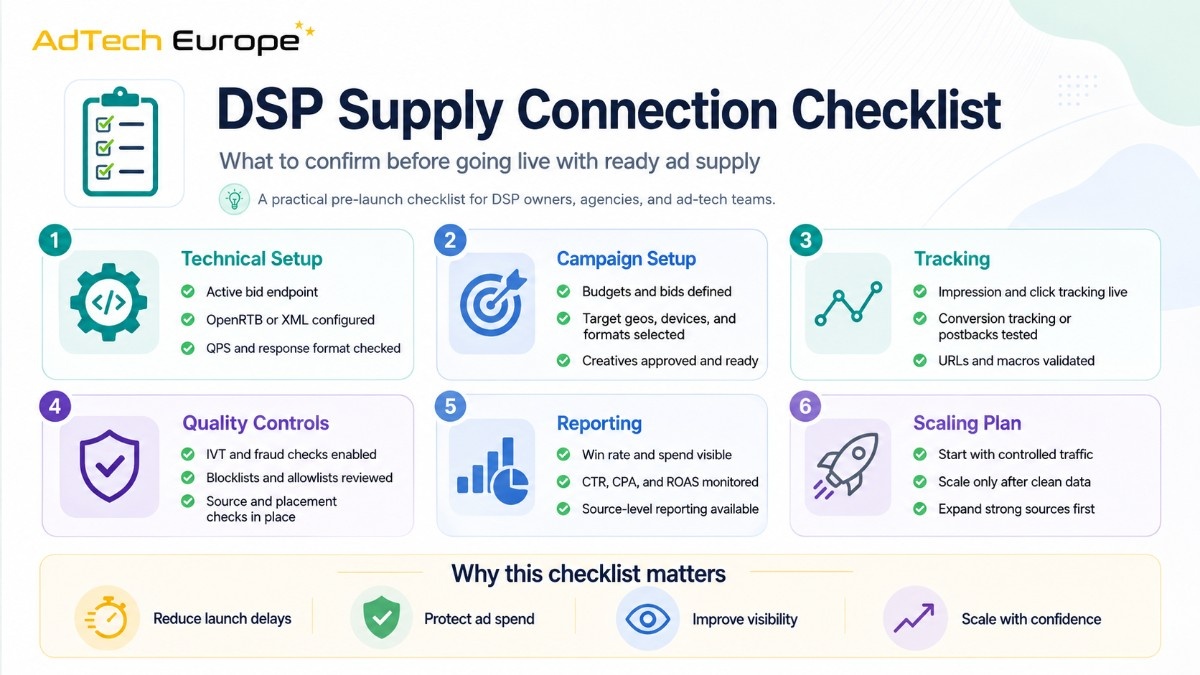
Use this checklist before going live.
| Area | What to Confirm |
| Technical setup | Endpoint, protocol, QPS, response format |
| Campaign setup | Budget, bids, targeting, creatives |
| Tracking | Impressions, clicks, conversions, postbacks |
| Quality controls | IVT checks, blocklists, source review |
| Reporting | Win rate, spend, CTR, CPA, ROAS |
| Scaling plan | Test first, then increase volume by source |
A good launch is not just about getting traffic. It is about getting traffic your DSP can measure, control, and improve.
Why Traffic Quality Should Come Before Scale
Fast access to supply is valuable, but only if quality is controlled.
Low-quality traffic can create problems such as:
- Wasted spend
- Fake clicks
- Poor conversion data
- Bad optimization signals
- Low advertiser trust
- Weak campaign performance
That is why source review, fraud checks, and reporting should be part of the connection process from day one. Strong traffic quality controls help DSP owners scale with more confidence.
DSP vs SSP vs Ad Exchange in the Supply Setup
A DSP does not work alone. It connects with other parts of the programmatic ecosystem.
| Platform | Main User | Role in Supply Connection |
| DSP | Advertisers, agencies, media buyers | Buys inventory and places bids |
| SSP | Publishers and app owners | Sells available ad inventory |
| Ad Exchange | Both buy side and sell side | Runs auctions between DSPs and supply sources |
Understanding this flow helps teams avoid confusion during setup. The DSP buys, the SSP sells, and the exchange helps both sides trade impressions in real time.
For a deeper ecosystem view, the DSP and SSP difference matters when choosing the right supply path.
Who Should Connect a DSP to Ready Supply?
This setup is useful for:
- DSP owners who need active inventory
- Agencies launching their own media buying stack
- Ad networks moving toward programmatic buying
- Affiliate teams that need more traffic control
- Media buyers testing new geos and formats
- Ad-tech companies building demand-side products
- Businesses evaluating DSP ownership with AdTech Europe
If your team already has buyers, campaigns, or advertiser demand, ready supply can help you move from setup to live testing faster.
Common Mistakes to Avoid
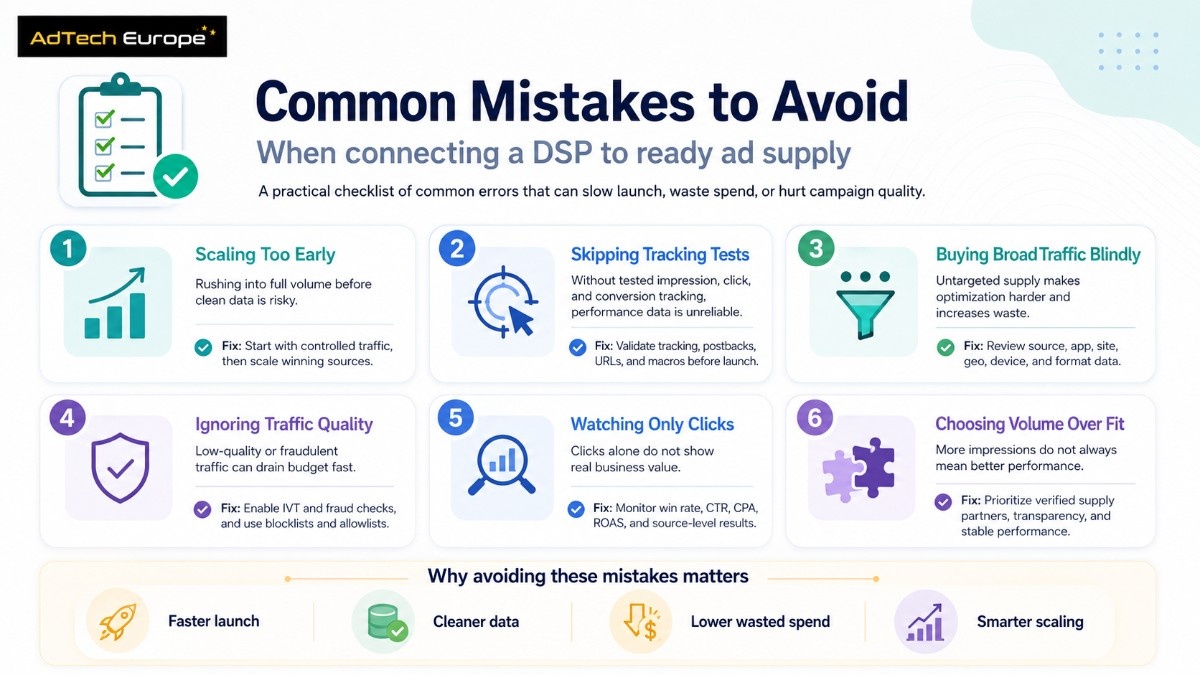
Avoid these mistakes during the first supply connection:
- Scaling before tracking is tested
- Buying broad traffic without source controls
- Ignoring QPS limits
- Using weak creatives
- Not checking bid response errors
- Measuring only clicks instead of conversions
- Blocking too late after spend is wasted
- Choosing supply only by volume
The goal is not just more inventory. The goal is usable inventory that supports campaign performance.
How AdTech Europe Helps DSPs Access Ready Ad Supply
AdTech Europe helps DSP owners and ad-tech businesses connect their platforms to ready programmatic supply with practical setup support.
Teams can use AdTech Europe to:
- Connect DSPs through OpenRTB or XML
- Access ready programmatic inventory
- Test multiple ad formats
- Review traffic quality
- Control QPS and buying rules
- Support campaign launch and optimization
- Build a stronger supply path for growth
This helps advertisers, agencies, and DSP businesses reduce setup delays and focus on what matters: buying traffic, measuring results, and scaling what works.
Ready to Connect Your DSP to Live Programmatic Supply?
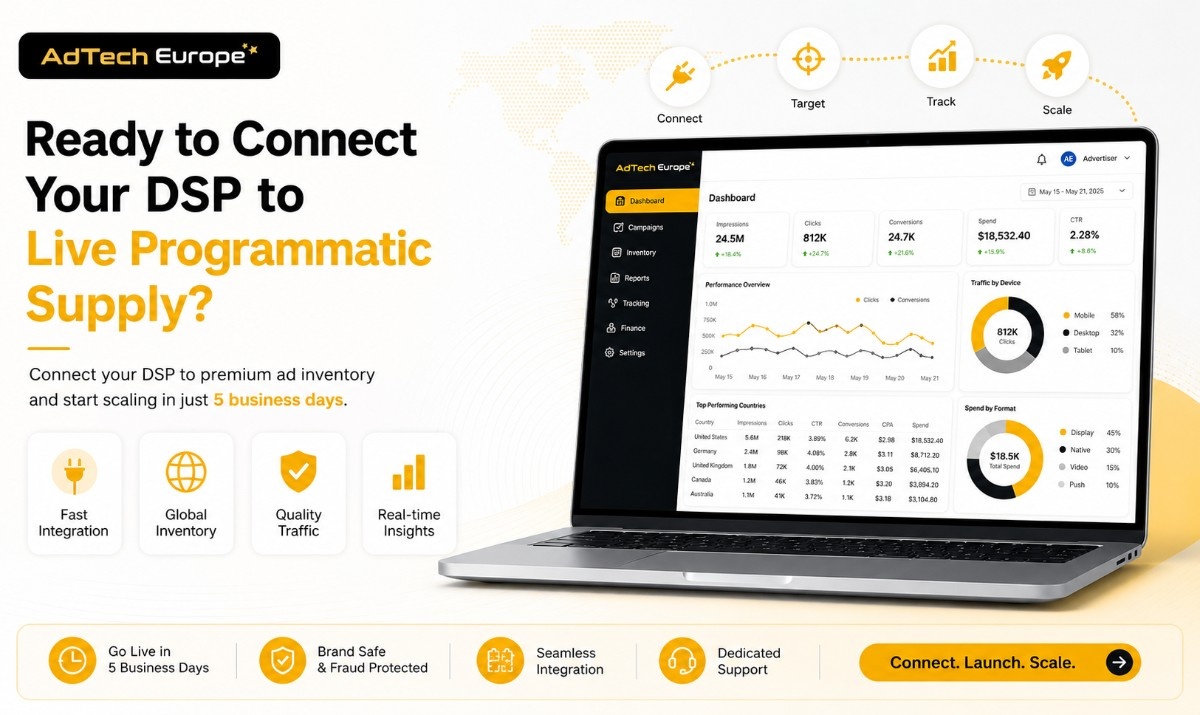
AdTech Europe helps DSP owners, agencies, media buyers, and ad-tech businesses connect to ready programmatic ad supply through premium inventory, supply partner connections, and OpenRTB/XML protocol support.
Whether you want to test new inventory, scale advertiser demand, improve supply access, or build a stronger DSP business, AdTech Europe gives you the programmatic inventory, fraud protection, performance visibility, and flexible platform options needed to move faster with more control.
FAQS
1. Can a DSP connect to ad supply in 5 business days?
Yes, a DSP can connect to ready ad supply in 5 business days when the platform, endpoint, tracking, creatives, and campaign settings are prepared before testing begins.
2. What does a DSP need before supply integration?
A DSP needs an active endpoint, supported protocol, bidder logic, campaign setup, tracking, creative approval, budget controls, and clear targeting rules.
3. Is OpenRTB required for DSP supply connection?
OpenRTB is one of the most common standards for real-time bidding, but some supply connections can also use XML or custom integrations.
4. Why is QPS important for DSP owners?
QPS shows how many bid requests your DSP can process per second. It affects traffic volume, infrastructure load, and scaling potential.
5. Should DSPs focus on volume or traffic quality first?
DSPs should focus on traffic quality first. Clean data, valid traffic, and source-level performance make scaling safer and more profitable.
6. Who benefits most from ready DSP supply?
DSP owners, agencies, ad networks, affiliate teams, media buyers, and ad-tech companies benefit when they need faster access to live programmatic inventory.